
How to Control and Adjust Your Smart Heater to Save Power

There is no need to panic if digital heater panels look confusing or your electric bill jumped last month. Taking control of the heat takes just two quick changes: set a specific target temperature on the digital display and switch to an automatic energy-saving mode once the space warms up. Adding a shut-off timer stops the unit from running through the night, so you stay warm without wasting power.
The exact steps depend on the features your model includes. Some units let you pick an exact degree, while basic panels only toggle between high and low electric power draw. Smarter units follow daily schedules, whereas standard models use simple countdown shut-off timers. Room position matters as well, since tucking the unit into a tight corner or drafty hallway fools the built-in room thermometer. Here is how to adjust your settings step by step to keep your home cozy and efficient.
What is the difference between heat settings and thermostats?
Many people confuse heat settings with thermostat settings. A heat setting controls the electric power draw, which is the amount of electricity the unit pulls from the wall outlet while running. On most standard portable units, this power level gives you fixed choices such as 700W or 900W for Low, 1000W for Medium, and 1500W for High. If you leave the unit on High without activating a target temperature, the heating element runs continuously at maximum strength no matter how warm the room becomes.
A digital thermostat acts like cruise control for room comfort. Instead of choosing raw electrical power, you choose a comfort target in degrees Fahrenheit (°F). The heater uses a built-in room thermometer, often called a sensor, to measure the air entering the intake grille. Once the surrounding air reaches your selected target number, the machine pauses the heat element or drops its wattage to keep the room steady.
Understanding this distinction helps you avoid wasting electricity. A fast-heating ceramic stone element warms up in seconds, delivering immediate heat straight into your living space. If you run that ceramic heating element that warms up in seconds on a fixed 1500W setting all day, your electric bill climbs quickly. Pairing your preferred heat level with a specific thermostat target ensures the machine draws full power only when the room actually needs warmth.
Some digital models combine these controls automatically, while others require you to pick both a power ceiling and a degree setting. If your unit allows you to pick both, set the temperature first, then select an appropriate wattage ceiling for the room size. In a typical home, about 10 watts warms one square foot of living space, meaning a 1500W setting can warm a closed 150-square-foot bedroom or offer targeted warmth in a larger seating area.
How do you set your target temperature step by step?
Setting your smart heater correctly takes less than a minute once you know what buttons to press. Follow these clear steps to calibrate your comfort without driving up energy costs:
- Turn on the main power switch: Plug the unit directly into a 120-volt wall outlet and flip the mechanical power switch on the back or base. Press the digital power button on the top control panel or remote to wake the display screen.
- Choose your operating mode: Press the mode button to cycle past continuous High or Low until you reach the digital thermostat or automatic setting. On most screens, you will see a degree symbol appear next to two digits.
- Adjust to your target temperature: Tap the plus and minus buttons to set your desired room warmth. For personal comfort and energy balance, standard living spaces do best between 68°F and 72°F during the day, or 65°F at night.
- Confirm the display setting: Stop pressing buttons once your chosen number appears. The digital numbers will usually blink three to five times to confirm your setting, then the screen will switch back to showing the current room temperature.
- Verify the heating cycle: Listen for the fan that pushes warm air across the room to start. The internal heating element will run until the room air reaches your target, at which point the heater will cycle off or switch to low power.
- Fine-tune after thirty minutes: Give the room half an hour to balance out. If you still feel chilly, raise the setting by just one single degree rather than jumping five degrees at once.
How can you manage power draw with smart modes?
Modern heaters come with automated settings designed to eliminate manual guesswork. Knowing how and when to use these features keeps your room comfortable while protecting your household budget.
- Use ECO mode for everyday balance: ECO mode is an automatic energy-saving setting that measures the gap between your room temperature and your target temperature. When the room is very cold, the heater runs at 1500W to heat the space quickly. As the air approaches your target degree, ECO mode steps the electric power draw down to 1000W or 700W, and eventually turns off the heat element completely once satisfied.
- Lower your wattage manually once comfortable: If your unit does not feature an ECO setting, start the unit on High (1500W) for twenty minutes to break the initial chill. Once the room feels comfortable, manually switch the power level to Low (700W or 900W). This cuts electrical draw by roughly half while maintaining the warm air already trapped in the room.
- Program the countdown shut-off timer: Never let a space heater run unattended in an empty room. Use the timer button to select a shut-off window from 1 to 12 hours. If you turn the heater on while reading before bed, a 2-hour timer ensures the machine shuts down safely after you fall asleep.
- Activate wide-angle oscillation: When heat stays concentrated in one narrow beam, the air right around the heater becomes hot quickly, while the rest of the room stays cold. Turning on wide-angle oscillation pushes warm air across a 70-degree arc, evening out temperatures across the whole area so the thermostat reads the room accurately.
If you are trying to balance heating across larger utility spaces, you might explore a steady electric heater for a garage with a thermostat to see how continuous temperature control functions across different room layouts. Using automated features correctly prevents the unit from running needlessly throughout the day.
Where should you place your heater for accurate readings?
A smart heater relies entirely on its built-in room thermometer to decide when to turn on and off. If you place the heater in an unsuitable spot, the sensor gets bad information and runs the heater incorrectly.
Avoid placing the unit directly beneath drafty window frames or right beside exterior doorways. Cold drafts flowing over the back intake will fool the built-in thermometer into believing the entire room is freezing, forcing the heater to run at maximum wattage even when your seating area is already warm. If you are dealing with challenging, uninsulated spaces, learning about a heater to warm drafty spaces can show you how drafts disrupt standard household heating.
Never shove the heater into a tight corner, under a desk, or behind an armchair. Trapping the heater in an enclosed nook causes warm air to pool immediately around the housing. The sensor will read that trapped, overheated air and shut down before the rest of the room ever gets warm. Position the heater on an open, level floor where room air can circulate freely into the intake and exit smoothly through the front grille.
Safety clearance directly impacts performance as well. Always follow the 3-foot safety buffer by keeping the heater at least 3 feet (36 inches) away from bedding, drapes, upholstered furniture, rugs, and pets. Place the unit firmly on hard, flat flooring. If set on deep, plush carpeting, the small tip-over safety switch that cuts power instantly if the unit is knocked over or tilted may wobble and trigger an accidental shut-off.
Which setting mistakes spike your electric bill or trip breakers?
Small errors in how you operate a portable heater can cause frustrating power outages or massive spikes on your utility statement. Watch out for these frequent mistakes:
- Setting the thermostat to 85°F to heat up faster: Electric space heaters do not work like gas furnaces; they output heat at a constant rate regardless of the target degree you pick. Cranking the dial to 85°F does not warm the room any quicker than setting it to 70°F. It simply ensures the unit never shuts off, wasting power and overheating the space.
- Overloading shared 15-amp electrical circuits: In US homes, a 1500W space heater draws about 12.5 amps on a standard 120-volt circuit. Because most home circuits are rated for 15 amps total, running a computer, television, or hair dryer on the same circuit will trip the breaker. Always connect your heater to a circuit with minimal other electronics running.
- Plugging into extension cords or power strips: Space heaters pull heavy, continuous current. Power strips and light extension cords are rarely rated for continuous 12.5-amp loads, causing them to overheat, melt, or spark fires. Always plug the heater directly into a dedicated wall outlet.
- Blocking the rear air intake with dust: When dust blankets the rear intake grille, internal airflow drops dramatically. This triggers the automatic overheat sensor that shuts the unit off if internal parts get dangerously hot. Clean the intake grille gently with a dry cloth or vacuum brush attachment every few weeks to keep airflow smooth.
- Leaving doors open to unheated rooms: Space heaters are built for supplemental zone heating, not whole-house warming. If you leave the bedroom door open to cold hallways, warm air escapes instantly and the heater will run continuously on maximum wattage trying to heat the entire house.
What features should you look for in a smart heater?
Selecting a heater that provides direct, clear control over its power draw makes adjusting your daily usage simple. When shopping for an upgrade, prioritize models with clear digital temperature displays that let you set a precise degree rather than relying on uncalibrated turn dials labeled only from one to ten. A digital screen removes uncertainty and lets you monitor real-time changes in ambient room temperature.
Look for units offering multiple wattage tiers, such as 700W, 1000W, and 1500W options, alongside a dedicated ECO setting. Having lower wattage selections allows you to run the machine smoothly in smaller rooms or home offices without stressing your home electrical circuits. Built-in countdown timers that range up to 12 hours give you the freedom to set automatic shut-off periods before sleeping or leaving for work.
Look for essential safety features built directly into the housing. Make sure the unit carries a recognized US safety certification mark, such as UL, ETL, or CSA, on its rating label. Every reliable model should include a sensitive tip-over switch on the base and an internal overheat cutoff. Remote controls or smartphone app connectivity provide an extra layer of convenience, letting you tweak degree targets or shut the machine down from across the room without getting out of bed.

- BWP Score9.3
BWP Score is a ranking system developed by Bestwinterproducts.com. BWP score has no relationship or impact from any manufacturers or sales agent websites. Learn more
- BrandWINHL

- BWP Score8.3
BWP Score is a ranking system developed by Bestwinterproducts.com. BWP score has no relationship or impact from any manufacturers or sales agent websites. Learn more
- BrandWINHL

- BWP Score7.4
BWP Score is a ranking system developed by Bestwinterproducts.com. BWP score has no relationship or impact from any manufacturers or sales agent websites. Learn more
- BrandDREO

- BWP Score7.4
BWP Score is a ranking system developed by Bestwinterproducts.com. BWP score has no relationship or impact from any manufacturers or sales agent websites. Learn more
- BrandAmazon Basics

- BWP Score7.2
BWP Score is a ranking system developed by Bestwinterproducts.com. BWP score has no relationship or impact from any manufacturers or sales agent websites. Learn more
- BrandAmazon Basics
Last update on 2026-10-31 / Affiliate links / Images, Product Titles, and Product Highlights from Amazon Product Advertising API
FAQs
Why does my heater turn on and off every few minutes?
This rapid cycling usually happens when warm air gets trapped directly around the unit. If the heater sits too close to a wall, curtain, or piece of furniture, the heat it produces bounces back into the built-in thermometer, causing it to shut off early. It then detects the cooler room air a moment later and turns right back on. Moving the heater into an open area with clear airflow will stop this short cycling.
What does ECO mode do to your electric bill?
ECO mode helps lower your electric bill by preventing the heater from drawing maximum wattage continuously. When the room air is close to your target temperature, ECO mode automatically lowers the power draw to a low or medium wattage setting instead of blasting 1500W. Once the room reaches the target, it stops the heating element entirely, saving power compared to running on standard high heat.
Can you leave a smart heater running all night safely?
You can run a modern digital heater overnight if it is placed on a flat, hard floor at least 3 feet away from blankets, pillows, and furniture. Make sure the unit has certified tip-over and overheat safety switches, and plug it directly into a wall outlet rather than an extension cord. For added safety and lower energy use, set a specific thermostat temperature around 65°F or use the countdown timer so it turns off after you fall asleep.
How do shut-off timers differ from programmed schedules?
A countdown shut-off timer simply counts down a set number of hours from the moment you turn it on, shutting the unit off once that time expires. A programmed schedule lets you choose specific clock times for the heater to turn on in the morning and turn off at night. Countdown timers are common on standard digital models, while clock schedules are usually managed through smart home smartphone apps.
Related guides: smart control space heater.


Top 12 best white electric fireplace 2026

Best Clear Ski Goggles Men 2026 For Sharp Vision On Slopes
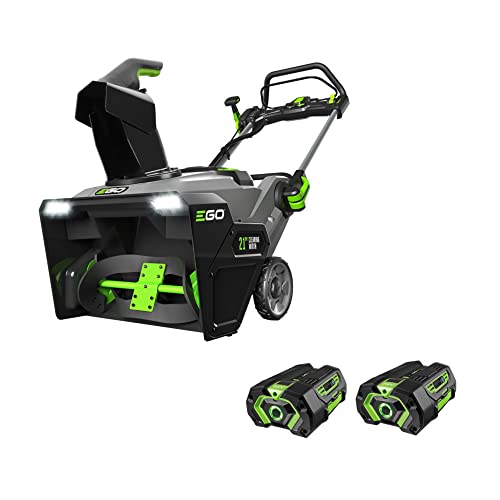
Top Best Cordless Electric Snowblower 2026 - (Latest)

Best Warm Winter Scarves 2026 For Cozy Comfort

Best Green Ski Goggles 2026 For Clear Vision On Slopes
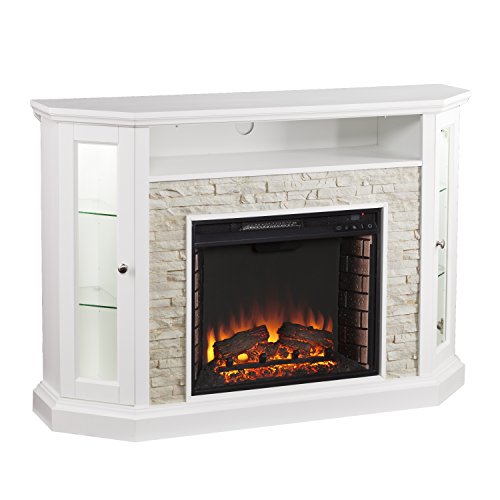
12 Best Corner Electric Fireplace 2026: My Ultimate Guide To Pick One

Best Battery Powered Snow Blower 2026 For Effortless Snow Clearing
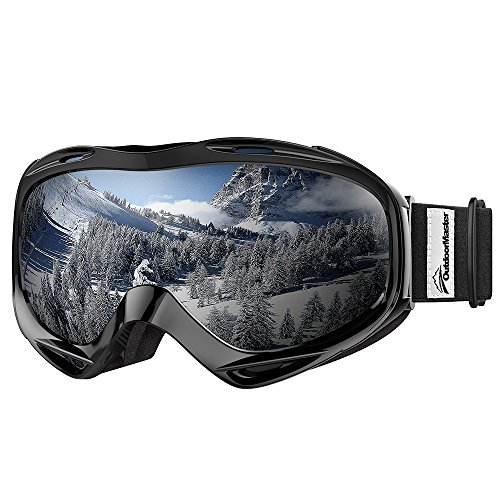
Best Ski Goggles Under 30 Inches For Crisp Vision And Comfort