How to Enable Automatic Programming on Your Heater

Making a heater run on its own usually means setting a target temperature so the unit cycles on and off by itself. That setup changes completely depending on whether the machine has a digital thermostat, a basic shutoff timer, or built-in Wi-Fi for recurring daily schedules.
Portable space heaters with push buttons or remotes usually let you pick a set degree level or a timer that turns the heat off after several hours. Basic units with turn dials only react to room temperature mechanically, while app-enabled smart models can follow timed morning and evening routines throughout the week. Knowing what your specific buttons actually control will help you warm the room safely without wasting electricity.
Understanding What Automatic Programming Means on Your Heater
When you sit down to program a space heater, you probably want it to work like your home thermostat: warming the bedroom right before your alarm rings, pausing while you are away, and turning on again in the evening. Standalone portable heaters rarely work that way out of the box. Understanding what your heater can actually do saves you from frustration and chilly mornings.
For standard portable electric heaters, automatic operation usually means two things: temperature cycling and countdown timers. Temperature cycling uses a built-in thermostat to monitor ambient air. When the room dips below your chosen target temperature, the ceramic heating element that warms up in seconds turns on. Once the room reaches that number, the heating element shuts down while the fan pushes warm air across the room to cool the unit. This maintains an even warmth without manual adjustments.
Countdown timers simply track elapsed time. A 12-hour timer lets you run the unit for two, four, or eight hours before shutting off completely. It does not repeat the next day. Setting a four-hour timer at bedtime turns the heater off during the night, but it will not turn back on at breakfast.
True 7-day recurring schedules are almost exclusively found on app-connected smart heaters or hardwired thermostats. Standard portable digital heaters focus solely on holding a target temperature or running a single shutoff countdown.
How to Set Your Heater to Cycle On and Off Automatically
To keep your room warm without running the unit continuously, calibrate its internal thermostat. Follow these steps to set up automatic temperature cycling:
- Clear a 3-foot buffer on a level floor. Place the heater upright on a flat surface at least 3 feet away from bedding, drapes, furniture, and paper. Reason: Adequate clearance prevents trapped hot air from confusing the digital temperature sensor, which stops the unit from cutting off prematurely.
- Plug directly into a wall outlet. Push the power plug into a standard 120-volt wall outlet without sharing the receptacle with other high-wattage appliances. Reason: Portable heaters draw up to 1,500 watts (roughly 12.5 amps), and direct wall connection prevents overheated wiring and tripped circuit breakers.
- Turn on power and choose a heat setting. Switch the heater on and select your preferred power level, such as a 1000W or 1500W High setting. Reason: A steady power level allows the fan to distribute warmth across the space before the sensor evaluates room air.
- Set your target temperature. Use the plus and minus buttons or the digital dial to select a target temperature in degrees Fahrenheit, such as 70°F. Reason: Choosing an exact degree gives the digital temperature dial that clicks on and off to hold your set warmth a clear reference point.
- Engage ECO mode if available. Press the mode button until the display indicates ECO or Smart mode. Reason: ECO mode automatically balances power levels to hold your set warmth steadily while reducing electricity draw.
- Confirm that the heating element shuts off at target warmth. Let the heater run until the room warms up, verifying that the coils turn off once the display matches your set temperature. Reason: Checking the initial cycle confirms that the internal sensor is operating properly and is not stuck in manual mode.
- Adjust by two degrees if needed. If the room feels cool after the heater stops, raise the target temperature by two degrees. Reason: Sensors sit near the base where floor drafts or trapped heat can cause slight reading differences compared to chest level.
Using the Built-In Timer for Auto-Shutoff and Delayed Start
Most modern portable heaters include a timer button, typically marked with a clock icon. This feature prevents leaving a heater running all night or forgetting it when leaving home.
To set an auto-shutoff timer, turn the heater on and choose your heat setting. Press the timer button once. A number will appear on the display, usually starting at 1H. Each press adds one hour, typically up to 12 hours. After a few seconds, the screen flashes to confirm the setting and returns to displaying the room temperature. When the countdown ends, the heater switches off into standby mode.
Some heaters also provide a delayed start timer to warm a room ahead of time. Leave the heater plugged in with the master switch on, but do not press the power button. While in standby, press the timer button to select your delay period. If you select 4H, the unit waits four hours before turning on.
These countdowns are single-use cycles. Once finished, the heater remains off. It will not repeat the countdown the next day unless you press the timer button again.
How Smart Heaters Handle True Daily Schedules
If you want a heater to turn on automatically every weekday morning at 6:30 AM, standard digital controls will not work. True daily routines require a Wi-Fi-enabled smart heater managed through a smartphone app.
Smart heaters link your heating hardware to mobile apps, functioning like programmable central thermostats. Here is how to set up an automated schedule:
- Pair with Wi-Fi: Put the heater into pairing mode, open the brand app, and connect the unit to your 2.4 GHz network.
- Open the schedule menu: Navigate to the automation or schedule tab on your app dashboard.
- Select active days and times: Choose the days you need heat and designate exact start and stop times, such as weekdays from 6:30 AM to 8:00 AM.
- Assign temperature and power: Program the heater to run at a specific target temperature, like 68°F, to prevent overheating.
- Save the automation: Confirm the routine so cloud servers trigger the heater automatically, even if your phone is disconnected.
Never leave a portable heater operating in an unoccupied home, even with a smart schedule. For tough heating zones like workshops, an electric heater for a garage with a thermostat offers steady, durable temperature management in cold zones. Always keep the area clear of clutter, children, and pets.
The Dangers of External Plug-in Timers and Smart Outlets
When heaters lack 24-hour clocks, many people try using external mechanical outlet timers or smart plugs. While convenient for lamps, this setup introduces serious electrical fire hazards with high-draw space heaters.
Standard electric space heaters consume up to 1,500 watts, pulling roughly 12.5 amps of continuous current through a standard 120-volt household circuit. Inexpensive wall timers and basic smart plugs feature lightweight plastic casings and light-duty internal relays. Under sustained high-amperage heat, these devices can melt, spark, scorch wall outlets, or cause an electrical fire.
Digital heaters also fail to work with external plugs. When a wall timer cuts power and turns it back on, digital heaters wake up in standby mode. Power reaches the board, but the heater stays off until a physical button is pressed. Only older units with manual mechanical switches turn back on automatically.
If you need reliable heat in drafty spaces, consider how a heater for an enclosed porch handles steady zone warmth safely. Always plug your heater directly into a permanent wall receptacle, avoiding extension cords, power strips, and external timer plugs.
What to Look for in a Heater with Automatic Controls
If your existing heater uses basic dials that require constant manual adjustments, upgrading to a unit with digital automatic controls provides far better comfort. Reliable controls eliminate the frustration of waking up shivering or overheating.
Look for a model with a clear digital temperature display. Selecting an exact degree setting provides much tighter climate control than guessing on an uncalibrated dial. An onboard ECO mode is particularly helpful, automatically shifting between high, medium, and low heat settings to maintain your target warmth without wasting electricity.
An integrated 12-hour timer paired with a remote control lets you adjust countdowns from across the room. Wide-angle oscillation is another valuable feature, distributing warm air evenly throughout the room rather than concentrating heat directly around the internal sensor.
Ensure any heater you choose includes certified safety systems. Look for a tip-over safety switch that cuts power instantly if the unit is knocked over or tilted by a child or pet, along with an automatic overheat sensor that shuts the unit off if internal parts get dangerously hot. Recognized US safety marks on the product label confirm these protections meet strict electrical standards.

- BWP Score9.3
BWP Score is a ranking system developed by Bestwinterproducts.com. BWP score has no relationship or impact from any manufacturers or sales agent websites. Learn more
- BrandWINHL

- BWP Score8.3
BWP Score is a ranking system developed by Bestwinterproducts.com. BWP score has no relationship or impact from any manufacturers or sales agent websites. Learn more
- BrandWINHL

- BWP Score7.4
BWP Score is a ranking system developed by Bestwinterproducts.com. BWP score has no relationship or impact from any manufacturers or sales agent websites. Learn more
- BrandDREO

- BWP Score7.4
BWP Score is a ranking system developed by Bestwinterproducts.com. BWP score has no relationship or impact from any manufacturers or sales agent websites. Learn more
- BrandAmazon Basics

- BWP Score7.2
BWP Score is a ranking system developed by Bestwinterproducts.com. BWP score has no relationship or impact from any manufacturers or sales agent websites. Learn more
- BrandAmazon Basics
Last update on 2026-11-16 / Affiliate links / Images, Product Titles, and Product Highlights from Amazon Product Advertising API
Frequently Asked Questions
Why does my heater shut off before the room reaches my set temperature?
Heaters turn off early when trapped heat pools around the digital temperature sensor at the base of the unit. This occurs if the heater sits too close to a wall, underneath furniture, or on thick carpet that blocks intake vents. Move the heater to an open spot with 3 feet of clearance so the sensor measures circulating room air.
Will my heater remember its programmed settings if I unplug it?
Most portable electric heaters lose their programmed settings once disconnected from the wall. The internal memory requires continuous standby power to retain your target temperature and operating mode. Unplugging the cord or switching off a rear master switch resets the unit to factory defaults.
Can I leave my heater running automatically while I sleep?
You can run an electric heater overnight if it features a digital thermostat, automatic overheat protection, and a tip-over switch. Place the unit on a flat, hard surface at least 3 feet away from your bed and bedding. Using an auto-shutoff timer to turn the unit off after several hours is often the safest choice.
Why does the fan keep blowing after the heating element turns off?
Once the thermostat reaches your set temperature, power to the ceramic heating element cuts immediately. The fan runs for another 15 to 30 seconds to blow residual heat out of the unit. This cool-down cycle protects internal plastic housing and components from heat buildup and is completely normal.

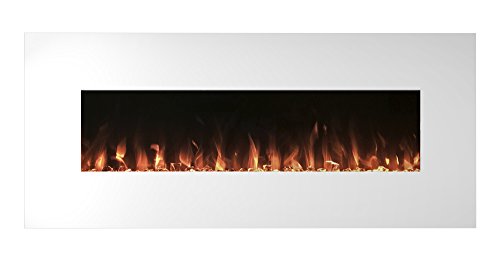
Top 12 best white electric fireplace 2026

Best Clear Ski Goggles Men 2026 For Sharp Vision On Slopes
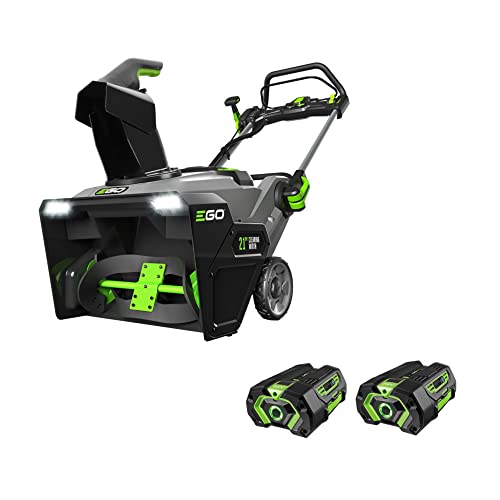
Top Best Cordless Electric Snowblower 2026 - (Latest)

Best Warm Winter Scarves 2026 For Cozy Comfort

Best Green Ski Goggles 2026 For Clear Vision On Slopes
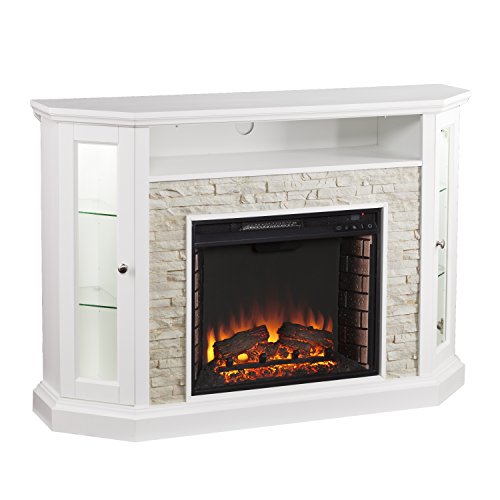
12 Best Corner Electric Fireplace 2026: My Ultimate Guide To Pick One

Best Battery Powered Snow Blower 2026 For Effortless Snow Clearing
Best Ski Goggles Under 30 Inches For Crisp Vision And Comfort