Are Dyson Heaters Too Noisy for a Bedroom?

A cold bedroom goes quiet just past midnight, right as someone clicks the heater remote from under the covers and waits to see if the rush of air will keep them awake. On lower speeds, these heaters are quiet enough for light sleep, creating a gentle white noise that blends into the background. Pushing the power toward maximum, though, creates a noticeably loud wind whoosh that can easily break the silence.
A few practical details change what you actually hear during the night. The fan speed matters most, since gentle levels whisper while higher settings force heavy air across the room. Distance also plays a role, because keeping the base a few feet away prevents faint motor vibration from reaching your pillow. Newer releases with certified low-noise designs also run smoother than older builds. Here is what to expect from everyday use and how to keep your space comfortably quiet.
Expect smooth white noise instead of mechanical rattles
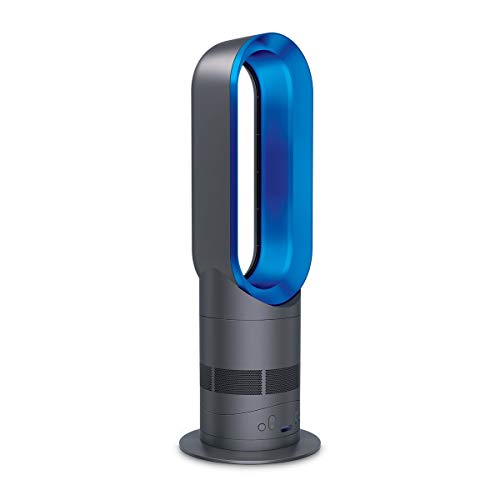
Traditional space heaters rely on exposed plastic or metal fan blades that slap and chop the air, accompanied by a vibrating motor that buzzes against the floor. Dyson heaters work differently. They draw air in through tiny holes around the base and push it through an internal curved channel before releasing it through an outer loop. This internal fan system that pushes smooth air through an outer ring is known as Air Multiplier technology.
Because there are no exposed spinning blades chopping through the air, the sound coming from the unit is clean and even. In daily use, it sounds like steady, rushing air rather than a struggling motor. Many people describe the sound as soft white noise, very similar to a modern indoor air purifier or a smooth desktop fan. For light sleepers who like a gentle background hum to drown out street traffic or household creaks, the sound profile feels familiar and relaxing.
Even so, no fan-powered heater is completely silent. Physics makes true silence impossible when moving air through narrow openings. When air rushes along the curved surfaces of the amplifier loop, it creates air friction. That friction produces a noticeable breeze sound. You will hear moving air, but you will not hear buzzing mechanical parts.
Keep your fan speeds low to preserve bedroom quiet
The noise level of a Dyson heater depends almost entirely on your fan speed setting. Most models offer a fan speed scale from 1 to 10. The ceramic heating element that warms up in seconds operates independently from the fan speed, meaning you do not have to blast the fan on high just to get comfortable warmth.
On fan speeds 1 through 4, the sound loudness level is remarkably low, resembling a gentle whisper or a quiet library. At these lower speeds, warmth rolls into your room without disturbing your concentration. If you run the heater at speed 2 or 3 next to your bed or office desk, you can easily sleep, read, or speak on a phone call without raising your voice.
When you increase the speed to levels 5 through 7, the airflow becomes much more prominent. The sound shifts to the active whoosh of a central heating vent. It remains smooth and non-jarring, but light sleepers will definitely notice it. This mid-range setting works well for quickly taking the chill off a 150 sq ft bedroom before bed, but it may prove too loud during sleep.
On fan speeds 8 through 10, the heater moves air with serious power, sounding like a rushing gust of wind. You will need to raise your voice slightly when talking over it. High speeds are intended for rapid whole-room heating when you first walk into a cold room, not for quiet rest.
Distinguish normal airflow rush from abnormal mechanical sounds
Because these heaters carry a higher price tag, any unexpected sound can cause worry. A properly working unit should only produce rushing air and a few faint operational clicks.
Normal sounds during daily use include:
- A continuous rushing air stream: A steady, even whoosh that rises and falls smoothly as you change fan speeds.
- A single soft click: A faint click when the digital temperature dial clicks on and off to hold your set warmth, followed by the element warming up.
- A quiet mechanical glide: A faint, smooth glide as the motorized base rotates side to side during oscillation.
Abnormal sounds that require inspection include:
- High-pitched whistling or whining: This indicates the lower base air intake holes are clogged with dust or pet hair, forcing the motor to strain for airflow.
- Vibrating or buzzing: This usually happens when the unit rests on an uneven floorboard or thick carpet pile that transfers vibration to the floor.
- Repetitive clicking or ticking during rotation: A rapid clicking sound as the heater turns side to side indicates that the oscillating track has trapped debris or the swivel gears are catching.
If you ever hear a sharp electrical buzz or crackle from the plug, take safe action immediately. Turn the power switch off, unplug the unit from the wall outlet, and let it cool completely before inspecting it. Always plug the heater directly into a dedicated 120-volt wall outlet. Never use power strips, surge protectors, or extension cords, which can overheat, melt, and spark fires. Keep a strict 3-foot safety buffer between your heater and any bedding, drapes, or furniture.
Adjust your settings and placement to cut down operating noise
You can reduce operating noise by adjusting where you place the heater and how you configure its settings. Follow these practical steps to keep your machine as quiet as possible:
- Place the heater on a solid, level surface at least 3 feet away: Set the unit on a flat, firm floor rather than a shaggy rug that can tilt the casing and cause vibration buzz. Keeping it at least 3 feet from your pillows ensures moving air does not blow directly past your ears.
- Use the narrow personal airflow setting: Many models include a Jet Focus feature that toggles between a narrow personal stream and wide room airflow. Select the focused stream when resting in bed or at your desk. This directs warmth straight to you so you can keep the fan on speed 1, 2, or 3.
- Turn off oscillation for sleep: The motorized sweep is quiet, but the shifting direction of the airflow constantly changes the sound. For light sleepers, a moving sound source can disrupt rest. Keeping the unit stationary produces a steady, unchanging background sound that is easier to sleep through.
- Pre-warm your bedroom on high before bedtime: Run the heater at fan speed 7 or 8 for 20 minutes while you get ready for sleep. Once the room reaches a cozy temperature, drop the fan speed to setting 2 or 3 right as you get into bed so the ceramic plates maintain warmth quietly.
- Keep the lower intake grilles clean: Dust buildup forces the internal motor to strain, producing a high-pitched whistle. Unplug the heater, confirm it has cooled completely, and wipe the perforated base holes with a dry microfiber cloth every few weeks.
Look for streamlined airflow channels and sleep timers before buying
If you are shopping for a space heater for a bedroom, nursery, or home office, noise control should be a top priority. Selecting a unit built with streamlined internal air paths will make a massive difference in your daily comfort compared to a standard fan heater with open blades.
Look for machines with recognized low-noise design credentials. An official award label for low-noise home gear, such as the Quiet Mark, indicates that the product was engineered specifically to minimize motor whine and turbulent airflow. Smooth internal channels move air without the harsh slapping sounds common to traditional fans.
Make sure the heater offers independent warmth and airflow settings. You want a machine that provides full heat output on low fan speeds, rather than forcing the fan to roar at maximum speed whenever heat is needed. Multiple speed levels give you fine control over sound and warmth.
Check for sleep-friendly features like an automatic shutoff timer and a dimmable display that stays dark at night. Essential safety features must include a tip-over safety switch that cuts power instantly if the unit is knocked over or tilted, and an automatic overheat sensor that shuts the unit off if internal parts get dangerously hot. If your heating needs are for an uninsulated outbuilding where sound does not matter, you might consider a heater to warm drafty spaces or an electric heater for garage with thermostat instead of a quiet bedroom model.
- BWP Score9.6
BWP Score is a ranking system developed by Bestwinterproducts.com. BWP score has no relationship or impact from any manufacturers or sales agent websites. Learn more
- BrandDyson

- BWP Score9.3
BWP Score is a ranking system developed by Bestwinterproducts.com. BWP score has no relationship or impact from any manufacturers or sales agent websites. Learn more
- BrandDyson

- BWP Score9.5
BWP Score is a ranking system developed by Bestwinterproducts.com. BWP score has no relationship or impact from any manufacturers or sales agent websites. Learn more
- BrandDyson

- BWP Score8.6
BWP Score is a ranking system developed by Bestwinterproducts.com. BWP score has no relationship or impact from any manufacturers or sales agent websites. Learn more
- BrandDyson

- BWP Score9.4
BWP Score is a ranking system developed by Bestwinterproducts.com. BWP score has no relationship or impact from any manufacturers or sales agent websites. Learn more
- BrandDyson

- BWP Score9.3
BWP Score is a ranking system developed by Bestwinterproducts.com. BWP score has no relationship or impact from any manufacturers or sales agent websites. Learn more
- BrandDyson

- BWP Score7.8
BWP Score is a ranking system developed by Bestwinterproducts.com. BWP score has no relationship or impact from any manufacturers or sales agent websites. Learn more
- BrandDyson

- BWP Score7.7
BWP Score is a ranking system developed by Bestwinterproducts.com. BWP score has no relationship or impact from any manufacturers or sales agent websites. Learn more
- BrandDyson
Last update on 2026-10-07 / Affiliate links / Images, Product Titles, and Product Highlights from Amazon Product Advertising API
FAQs
Can you run a Dyson heater all night while sleeping?
Yes, you can run it through the night as long as you follow basic safety guidelines. Set the fan to speed 1, 2, or 3 so the soft airflow does not disturb your rest. Always plug the heater directly into a wall outlet, keep a 3-foot safety buffer clear of bedding, and verify that the tip-over safety switch sits unobstructed on a flat floor.
Why does my heater make a clicking noise when running?
A single click every few minutes is completely normal. That sound comes from the digital temperature dial clicking on and off to hold your set warmth as the room cools and warms. However, if the heater makes a continuous, rapid clicking sound while rotating, the oscillating base track may have trapped dust or the swivel gears may be slipping.
Does heating mode sound louder than cooling fan mode?
Heating mode produces roughly the same sound level as cooling fan mode at the exact same fan speed setting. The sound comes almost entirely from moving air rather than the heating process. The ceramic heating element warms up silently, so any volume change usually happens because the thermostat automatically raised the fan speed to circulate heat faster.
Will a Dyson heater disrupt phone calls in a home office?
On low fan speeds from 1 to 4, the heater is quiet enough that standard desk microphones and phone callers will not notice it. The steady white noise blends smoothly into background room acoustics. On high speeds like 8 through 10, the rushing air will sound like wind noise on your microphone, so keep the speed low while speaking.


Best Warm Winter Scarves 2026 For Cozy Comfort

Best Green Ski Goggles 2026 For Clear Vision On Slopes
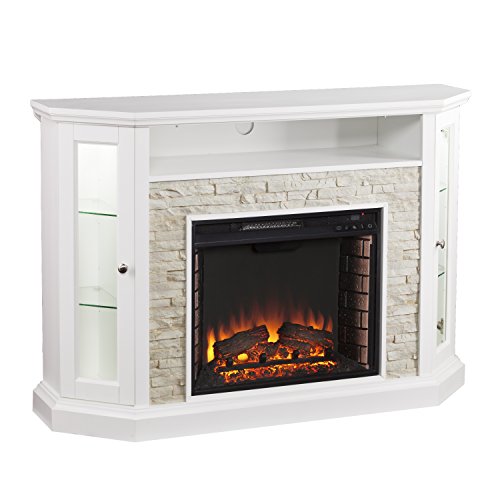
12 Best Corner Electric Fireplace 2026: My Ultimate Guide To Pick One

Best Battery Powered Snow Blower 2026 For Effortless Snow Clearing
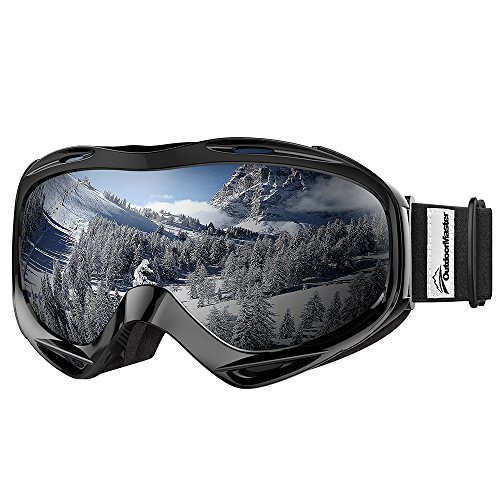
Best Ski Goggles Under 30 Inches For Crisp Vision And Comfort

Best Cooling Scarf 2026 For Instant Relief And Comfort

Fake Snow for Grass: Create a Realistic Winter Lawn Display
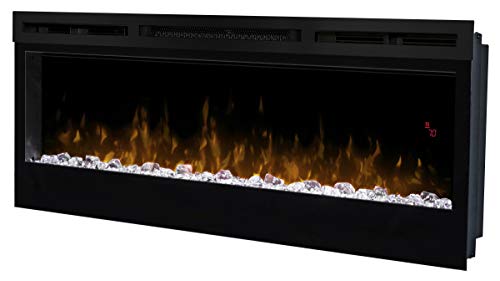
Dimplex Prism Wall Mount Fireplace: Sleek Heat With Modern Flame Style