Can You Program Your Heater Remotely?

Shivering in a chilly car on the commute home, many people wish the bedroom was already warm before they walk through the front door. Setting a schedule from anywhere is only possible if the heater connects directly to home Wi-Fi through an app. A standard handheld plastic remote only works across the room within direct line of sight, so it cannot help while away from the house.
Making this work depends on the type of switch your unit uses and how safely it can run unattended. Simple heaters with a physical toggle switch can sometimes pair with an exterior smart plug, but only if the plug matches the heater's heavy electrical draw. Newer smart models handle schedules internally, though keeping clear space around the heating elements remains essential. Here is how to identify your model's capabilities and set up a warm room without creating a fire risk.
Does your handheld remote work away from home?
A standard handheld remote that requires direct line of sight cannot control your heater from outside the house. These small plastic remotes use infrared light, which works just like an older television controller. The remote sends an invisible beam of light across the room to a small sensor lens on the front panel of the heater. If you walk behind a wall, close the door, or leave for the office, that light beam is completely blocked.
True remote programming relies on a Wi-Fi connection or cellular network rather than a line-of-sight light beam. When a heater has smart connectivity built in, it links to your home wireless network. You install an app on your phone, and that app sends commands through the internet directly to the machine. You can sit at your desk at work, open the app, and turn the heat on so your bedroom is comfortable before you walk through the door.
Many people feel confused because manufacturers print the word remote right on the retail box. In the store, that word sounds like you can turn the heat on from anywhere in town. In reality, it usually just means you do not have to stand up from the sofa to turn down the heat. If your remote does not require a phone app and has no way to pair with your home router, it will only work while you are sitting in the same room.
How do you know if your heater has Wi-Fi?
Before you try to schedule your heater from your phone, you need to confirm whether the unit has network hardware built into its frame. Most budget space heaters only have basic circuit boards that understand physical button presses. You can verify your setup in less than two minutes by checking a few specific parts of the machine.
- Look for a wireless network symbol on the display: Inspect the digital screen or control panel for an indicator that looks like a broadcast wave or a small radio signal. If the unit has Wi-Fi, this symbol will usually blink when the heater is ready to pair with your home network.
- Check the physical buttons for a pairing function: Smart units almost always feature a button labeled Wi-Fi, Pair, or Reset. On many models, holding down the power button or timer button for five seconds causes a network icon to flash on the screen.
- Read the manufacturer sticker on the back or bottom: Every certified electric heater carries an electrical data plate. Look for a companion app name, an FCC ID number, or a QR code meant to be scanned with a smartphone camera.
- Review the instruction manual: Look through the booklet for a section on network setup or smart home pairing. If the manual only explains how to insert batteries into a plastic handheld clicker, the heater does not support phone control.
- Distinguish Bluetooth from Wi-Fi: Some heaters include Bluetooth instead of Wi-Fi. Bluetooth lets you adjust the temperature from your phone, but it only reaches about 30 feet. Once you drive down the street, Bluetooth loses contact.
If you are trying to heat an outbuilding, a workspace, or an enclosed porch, knowing whether your heater has network connectivity saves you a cold trip outdoors. For example, if you spend evenings relaxing in a three-season space, using a dedicated best heater for enclosed porch with built-in remote scheduling lets you preheat the area before you step outside.
Can you plug an electric heater into a smart plug?
You can plug an electric heater into an external smart plug, but only if the heater has a mechanical switch (a physical switch that stays pressed on). A mechanical switch is a toggle, a rocker button, or a turning knob that stays physically locked in the On position even when you pull the plug from the wall. When the smart plug turns the outlet back on, electricity flows immediately and the machine starts warming right away.
Most modern heaters with digital touchscreens use electronic push buttons instead. When you unplug a digital heater and plug it back in, it enters an idle standby mode for safety. It sits there quietly waiting for a human hand to push the power button on the panel. If your heater behaves this way, plugging it into a smart wall socket will not work, because the unit will simply remain in standby mode whenever the socket powers on.
The biggest danger with this approach is the wattage rating (the maximum electric power limit that a plug can safely handle). In US homes, standard portable electric space heaters draw up to 1,500 watts, which is about 12.5 amps on a standard 120-volt household circuit. Many cheap smart plugs sold for table lamps and holiday lights are only rated for 10 amps or 1,200 watts. If you plug a 1,500-watt ceramic heating element that warms up in seconds into a 10-amp smart plug, the plug will overheat, melt its plastic casing, and create a serious fire hazard.
If you choose to use a smart plug with an older mechanical heater, buy a heavy-duty model rated for at least 15 amps and 1,800 watts. Make sure the plug carries a recognized US safety certification mark, such as UL or ETL, on its back label. Always insert the smart plug directly into a dedicated wall outlet. Never plug a space heater or a smart plug into an extension cord, a surge protector, or a multi-outlet power strip, because those extra connections can loosen and cause dangerous heat buildup.
Is it safe to run a heater while away?
Starting an electric heater remotely is convenient, but running a high-heat appliance when nobody is in the room requires strict fire safety precautions. Space heaters generate intense warmth, and an unexpected obstacle near the front grille can ignite in minutes. Before you ever schedule or trigger a heater while away from home, inspect the room and verify these essential safeguards.
- Clear the 3-foot safety buffer: Keep all space heaters at least 3 feet (36 inches) away from bedding, curtains, upholstered furniture, rugs, paper, and clothing. A curtain blown across the room by a draft can easily touch the front metal grille.
- Place the unit on a firm, level floor: Never sit a portable heater on a high shelf, a wobbly side table, or thick carpet. The machine must rest on bare wood, tile, or laminate so its tip-over safety switch that cuts power instantly if the unit is knocked over or tilted stays completely pressed against the floor.
- Keep pets in mind: A playful dog or a curious cat can bump into a portable heater or drag a blanket against the intake vents while you are sitting in traffic. If your pets have free run of the room, avoid running portable units unattended.
- Check the automatic overheat sensor: Ensure the air intake vents on the back and sides are free of lint and dust. An automatic overheat sensor that shuts the unit off if internal parts get dangerously hot will trip if pet hair blocks normal airflow, leaving your room freezing anyway.
- Inspect the wall outlet: Plug the unit into a dedicated 120-volt household circuit. If the wall plate feels warm to the touch, or if the outlet prongs fit loosely inside the socket, turn the machine off immediately and consult a licensed electrician.
If you need reliable, automated heat in an outbuilding or cold work area, consider a permanently installed heating unit designed specifically for unmonitored spaces. Setting up the best electric heater for garage with thermostat provides steady, grounded warmth with hardwired connections that eliminate the risks of loose cords and tipping floor units.
How do you program a remote schedule safely?
Setting up an automated daily heating schedule takes just a few steps once your heater or heavy-duty smart adapter is linked to your phone. Following a safe procedure ensures your room reaches a cozy temperature without placing unnecessary strain on your household electrical wiring.
- Inspect the surrounding room: Walk into the room before you leave for the day. Check that the unit sits flat on the floor, clear away all blankets or papers within the 3-foot safety buffer, and verify the front grille is pointed toward open floor space.
- Connect to your home network: Open the companion app on your phone and link the heater using your 2.4 GHz home Wi-Fi network. Most smart home devices do not support 5 GHz networks, so ensure your phone is connected to the standard 2.4 GHz band during setup.
- Select a moderate power level: Rather than setting the heater to maximum output, choose a mid-range power level (such as 750W Low or 1000W) or use the digital temperature dial that clicks on and off to hold your set warmth. Running on a lower wattage draws fewer amps, which keeps the wall outlet cool and avoids tripping your home circuit breaker.
- Program an automatic shutoff window: When you build a daily schedule in your app, always set a defined end time alongside the start time. Program the heater to start warming the room 30 to 45 minutes before you plan to arrive, and schedule an automatic shutoff 60 minutes later. That way, if your commute gets delayed or plans change, the heater will not run endlessly in an empty house.
- Run a live trial while you are home: Test your new schedule while you are sitting in the house reading or cooking. Watch the unit power on automatically, listen for the fan that pushes warm air across the room, and make sure the machine runs quietly for an hour without strange burning smells or breaker trips.
FAQs
Can you turn an infrared remote into a smart remote?
You can make an infrared remote smart by buying an external smart infrared hub. This small disc plugs into a wall outlet in the same room, connects to your Wi-Fi, and mimics the signals of your handheld clicker. You can use your phone to send commands through the hub to the heater, but the hub must maintain a clear line of sight to the heater sensor. It also cannot tell you whether the heater actually received the signal or if the room is up to temperature.
Why does my heater turn off right after remote starting?
Heaters usually shut down right away because an internal safety switch was triggered. If the unit sits on uneven carpet or a tilted surface, the tip-over sensor cuts electrical current to prevent a fire. Dust or pet hair clogging the rear intake vents can also cause heat to build up inside the housing within seconds, prompting the automatic overheat sensor to shut everything down. Turn the unit off, unplug it, vacuum the intake vents, and place it on a hard, flat floor.
Will running a space heater remotely trip your circuit breaker?
It can easily trip a breaker if other appliances share the same electrical line. A standard 1,500-watt electric heater uses about 12.5 amps, which leaves very little room on a common 15-amp household circuit breaker. If a television, gaming console, computer, or vacuum cleaner runs on that same circuit when the heater switches on, the total draw will exceed 15 amps and trip the breaker. Always place portable heaters on a dedicated circuit that does not power other heavy electronics.
What should you do if your smart plug feels warm?
Turn the heater off immediately and unplug the smart plug from the wall. Let the equipment cool down completely before you touch the metal prongs. A warm or hot plug means the electrical current flowing through the adapter is pushing it past its safe thermal limits, or the metal contacts inside your wall outlet have loosened over time. Discontinue using that smart plug for heating equipment, and call a licensed electrician to inspect the wall outlet if the faceplate shows discoloration.


Best Warm Winter Scarves 2026 For Cozy Comfort

Best Green Ski Goggles 2026 For Clear Vision On Slopes
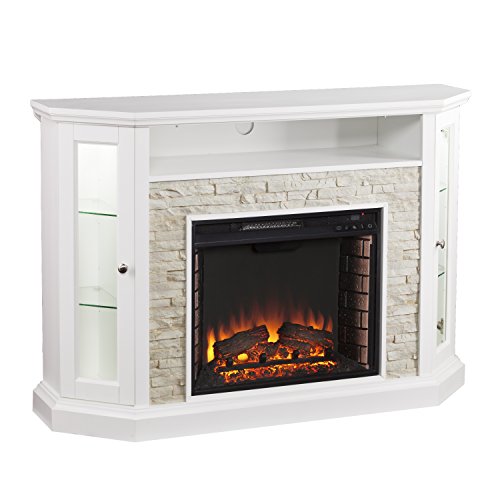
12 Best Corner Electric Fireplace 2026: My Ultimate Guide To Pick One

Best Battery Powered Snow Blower 2026 For Effortless Snow Clearing
Best Ski Goggles Under 30 Inches For Crisp Vision And Comfort

Best Cooling Scarf 2026 For Instant Relief And Comfort

Fake Snow for Grass: Create a Realistic Winter Lawn Display
Dimplex Prism Wall Mount Fireplace: Sleek Heat With Modern Flame Style