How Can You Safely Connect Electric Heaters to a Smart Home?

Electric heaters connect to a smart home system through built-in Wi-Fi, a heavy-duty smart plug, or a smart wall thermostat. The right path depends on how the unit gets its power and the way its switches work. Models with a physical dial that stays in the on position can pair with a plug-in adapter, while permanent wall heaters require direct wall controls to manage the heavy electrical load safely.
A few critical details change how you approach each room. First, check whether your heater turns on with a mechanical switch or an electronic button that resets to off whenever power drops. Next, verify if the unit plugs into a standard wall outlet or wires directly into your home electrical panel. Matching the correct hardware to your specific heater style keeps your space comfortable, prevents tripped breakers, and makes daily automation simple.
The Three Main Ways to Automate Electric Heat
Automating electric heat makes chilly mornings easier and keeps utility bills in check, but heaters carry far more risk than lamps or coffee makers. In US homes, standard portable electric space heaters draw up to 1,500 watts, which equals roughly 12.5 amps on a standard 120-volt household circuit. Pushing that much electrical current through automated switches requires matching your specific heater type to the proper control hardware.
Electric heaters integrate into smart home platforms through three main paths:
- Native smart heaters: Units built with internal Wi-Fi chips talk directly to your home network, mobile apps, and voice assistants without extra accessories.
- Smart plug adapters: Traditional plug-in space heaters pair with a smart plug (an app-controlled adapter that sits between the wall outlet and the power cord) to switch power on and off at the socket.
- Smart line-voltage thermostats: Hardwired baseboards and in-wall units connect through a smart line-voltage thermostat (a wall thermostat wired directly to high-power 120V or 240V heaters).
The main issue comes from mismatching hardware. Plugging a heavy-draw heater into an undersized plug can melt the plastic housing and spark an electrical fire. On the other hand, trying to automate an electronic-button heater with an external plug leaves the unit sitting dead in standby mode. Knowing how your heater receives power and stores its settings prevents these common headaches.
How to Check If Your Plug-In Heater Works with a Smart Plug
Before you buy an external plug adapter, verify whether your portable heater can actually turn back on automatically. Walk through these five checks in order to confirm compatibility and safety.
- Inspect the physical power switch. Examine how you turn the heater on and off. You need a mechanical switch (a physical toggle or dial that stays in the on position even when unplugged). Reason: Electronic push buttons and soft-touch digital pads lose memory when electricity drops, which leaves the heater sitting in standby mode when the smart plug powers up.
- Confirm the smart plug amperage and wattage ratings. Read the electrical specifications printed on the plug housing. You must use a smart plug rated for at least a 15-amp resistive load (steady, heavy electrical power drawn to generate direct heat), which handles up to 1,800 watts at 120 volts. Reason: Basic 10-amp smart plugs designed for decorative lamps or phone chargers cannot handle a 1,500-watt heater and will melt under continuous use.
- Perform the ten-second wall unplug check. Turn your heater on, set the heat to high, and pull the power cord straight out of the wall while the unit runs. Wait ten seconds, plug the cord firmly back into the outlet, and observe what happens. Reason: If the heater resumes warming instantly without you pressing a button, it will work with smart plug automation; if it stays silent, external plug control will not work.
- Test the grip of your wall outlet. Push the heater plug into your chosen wall receptacle and check for a snug fit. Reason: Loose outlet contacts increase electrical resistance, causing prongs and plastic plates to heat up rapidly during continuous 12.5-amp power draws.
- Verify that built-in safety controls remain active. Confirm the heater has a working tip-over safety switch that cuts power instantly if knocked over, along with an automatic overheat sensor that shuts the unit off if internal parts get dangerously hot. Reason: An external smart plug only cuts electrical flow at the wall, so the heater must maintain its own physical defenses in case someone blocks the air grille.
Connecting Hardwired Baseboard and Wall Heaters with Line-Voltage Thermostats
Built-in heaters demand a completely different automation approach. Electric baseboard heaters, in-wall fan heaters, and hardwired utility heaters do not use standard wall plugs. Instead, they connect directly to high-voltage household circuits running at 120 volts or 240 volts.
Standard smart thermostats designed for central furnaces use 24-volt low-voltage wiring. Connecting a low-voltage thermostat directly to a 240-volt electric baseboard will instantly destroy the thermostat and creates an extreme electrical hazard. Hardwired electric heaters require a smart line-voltage thermostat (a wall thermostat wired directly to high-power 120V or 240V heaters). These heavy-duty thermostats contain internal relays built specifically to switch high-amperage heating circuits on and off.
When choosing a line-voltage smart thermostat, verify whether your existing heater wiring is single-pole or double-pole. A single-pole thermostat has two hot wires and can turn heat down, but it does not completely disconnect power from the heater. A double-pole thermostat has four wires and breaks both sides of the electrical line, providing a true positive off setting. If you are heating an outbuilding or workshop, using a hardwired unit alongside an electric heater for a garage with a thermostat offers dependable freeze protection without managing loose cables on the floor.
Always turn off the circuit breaker in your main electrical panel before removing an old wall thermostat. Use a non-contact voltage detector to ensure zero electrical current flows through the wires before touching them. If your wall electrical box contains aluminum wiring, multiple clustered lines, or no clear ground wire, stop work immediately and hire a licensed electrician.
Native Smart Heaters: App Setup, Voice Commands, and Automations
If you want modern smart features without worrying about switch mechanics or plug ratings, electric heaters with native Wi-Fi offer a simpler route. These heaters contain internal wireless chips that communicate straight to your home network, pairing through smartphone apps and smart assistant platforms.
Setup is straightforward. You plug the unit into a dedicated wall outlet, download the manufacturer mobile app, and hold the heater pairing button until the Wi-Fi icon flashes. The app walks you through connecting the device to your 2.4 GHz home Wi-Fi network. From there, you link the app to Amazon Alexa or Google Home for hands-free voice control.
Native smart heaters offer major advantages over external smart plugs. Instead of simply cutting power, smart heaters let you select specific heat settings (such as 1000W Low or 1500W High) or switch to fan-only mode through your phone. They feature a digital temperature dial that clicks on and off to hold your set warmth smoothly. Native control also preserves internal cool-down cycles, allowing the fan to blow for a few seconds after the heating element shuts off to dissipate residual heat safely.
These controls let you build helpful everyday routines. You can program the heater to warm your home office twenty minutes before your workday starts, or shut off automatically at bedtime. If you are warming a drafty room, such as managing a heater for an enclosed porch during brisk evenings, native app controls let you monitor room conditions and adjust warmth from the couch without opening the door to let cold air in.
Essential Safety Rules for Smart-Controlled Electric Heating
Automating any heat source requires strict safety habits because heaters turn on without a person standing over them. Follow these non-negotiable safety rules before enabling any smart automation schedule:
- Maintain the 3-foot safety buffer: Keep all electric heaters at least 3 feet (36 inches) away from bedding, drapes, furniture, rugs, and clutter. Never run an automated schedule in a room where pets play unsupervised or where laundry could be tossed near the heater grille.
- Plug directly into the wall: Never plug a space heater or a smart plug into an extension cord, power strip, or surge protector. Multi-outlet strips are rarely rated for continuous 12.5-amp resistive loads and are a leading cause of electrical fires. Both the smart plug and the heater power cord must plug directly into a permanent wall receptacle.
- Respect branch circuit limits: In US homes, standard living rooms and bedrooms sit on shared 15-amp branch circuits. A 1,500-watt space heater uses about 83 percent of that circuit capacity on its own. If you run a vacuum, iron, or desktop computer on that same circuit while the smart heater turns on, the breaker will trip immediately. Place your heater on an outlet that does not share heavy loads with other appliances.
- Avoid unattended heating away from home: Do not schedule portable space heaters to run while everyone is away from the house. Use smart automations for room pre-warming while you are home or for timed shutoffs after you fall asleep. Portable heaters should never operate in empty homes.
- Watch for overheating signs: Periodically touch the face of your wall outlet and the smart plug body while the heater runs on high. If any surface feels hot to the touch, smells like scorched plastic, or shows black scorch marks, turn the unit off, unplug it, and let it cool completely. Have a licensed electrician inspect the circuit before using it again.
What to Look for in a Smart-Ready Electric Heater
When shopping for an electric heater to connect to your smart ecosystem, prioritize hardware built for clean integration. If you want direct app control, look for a unit with integrated Wi-Fi that supports remote scheduling and voice assistant integration without needing an external bridge. If you plan to use an external heavy-duty smart plug, choose a simple heater with mechanical dials rather than digital touchpads.
Always check the product label for recognized safety certifications such as UL, ETL, or CSA. Match the heating element to your room style: a ceramic heating element that warms up in seconds works best for quick, focused warmth at a desk, while a silent radiator heater that circulates steady, lasting warmth is better suited for maintaining even comfort in larger rooms. Ensure any model you pick includes a physical tip-over safety switch and an automatic overheat sensor.

- BWP Score9.2
BWP Score is a ranking system developed by Bestwinterproducts.com. BWP score has no relationship or impact from any manufacturers or sales agent websites. Learn more
- BrandFLANUR
Last update on 2026-10-11 / Affiliate links / Images, Product Titles, and Product Highlights from Amazon Product Advertising API
FAQs
Can I plug any space heater into a basic smart plug?
No, you should never use a basic smart plug with a portable space heater. Standard smart plugs are often rated for only 10 amps or light lighting loads, whereas a typical 1,500-watt space heater pulls around 12.5 amps of continuous power. You must use a heavy-duty smart plug rated for at least a 15-amp resistive load to prevent the plug from melting.
Why will my heater not turn back on when the smart plug powers up?
This happens because your heater uses electronic push buttons or a digital control board rather than a mechanical switch. When an external smart plug cuts power to an electronic heater, the internal memory resets to an off state. Once the smart plug restores electricity, the heater remains in standby mode until someone physically pushes the power button.
Can I connect baseboard heaters to a standard smart thermostat?
No, standard smart thermostats run on 24-volt low-voltage power meant for central heating systems. Electric baseboards operate on high-voltage 120-volt or 240-volt household wiring that will instantly short out and ruin a standard thermostat. You must install a specialized smart line-voltage thermostat rated to handle high-amperage electric heating circuits.
Is it safe to schedule an electric heater to turn on when nobody is home?
It is not safe to automate portable space heaters to run in an empty house. If a pet knocks the unit over, curtains drift across the grille, or an internal part fails, an unattended heater can start a house fire. Save automated schedules for pre-warming rooms while you are awake in the house or for automatic shutoffs after you go to bed.


Best Warm Winter Scarves 2026 For Cozy Comfort

Best Green Ski Goggles 2026 For Clear Vision On Slopes
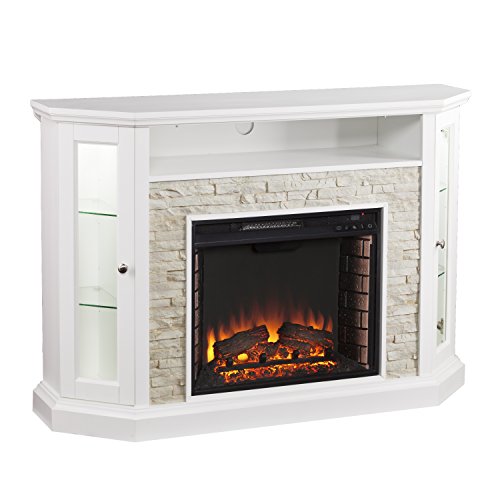
12 Best Corner Electric Fireplace 2026: My Ultimate Guide To Pick One

Best Battery Powered Snow Blower 2026 For Effortless Snow Clearing
Best Ski Goggles Under 30 Inches For Crisp Vision And Comfort

Best Cooling Scarf 2026 For Instant Relief And Comfort

Fake Snow for Grass: Create a Realistic Winter Lawn Display
Dimplex Prism Wall Mount Fireplace: Sleek Heat With Modern Flame Style