How to Adjust the Temperature on a Portable Heater?

The simplest way to set a portable heater is to crank the dial to maximum until the room feels warm, then slowly turn it back until you hear a quiet click. That rule applies to mechanical dials, while units with digital screens let you set an exact target number using arrow buttons. Both methods tell the built-in thermostat (a small sensor that cuts power once the air warms up) to hold that comfortable level so the room never overheats.
Getting it right still depends on your control knobs and where the heater sits. Many models separate the electrical power switch from the heat dial, and confusing the two can run up your electric bill or shut the unit down too soon. Drafty baseboards or tight corners can also trick the sensor into misreading the room temperature. Here is how to balance your settings, handle both control types, and keep your space cozy all day.
Portable Heaters Sense Heat Through Built-In Mechanical Or Electronic Parts
Every portable heater relies on a temperature sensor to monitor warmth, but models measure room air in different ways. Inside most budget-friendly space heaters sits a mechanical thermostat. A thermostat is a heat sensor that shuts off power when the room is warm enough. In a manual dial heater, that sensor is usually a small strip made of two different metals bonded together. As electricity flows and warmth builds up around the unit, one metal expands faster than the other. This uneven expansion causes the metal strip to bend. Once the strip bends past a certain point, it physically pulls two electrical contacts apart, cutting power and silencing the fan.
Digital heaters work differently by using an electronic sensor called a thermistor. Instead of relying on bending metal, a thermistor changes its electrical resistance based on the ambient temperature, which is the air temperature around the heater. A small computer board reads that resistance and translates it into an exact reading in degrees Fahrenheit.
Both types share one major limitation: they measure the air directly surrounding the heater cabinet, not the air across the room where you sit. If hot air gets trapped near the casing, the heater thinks the room is warm and shuts down early. If cold drafts sweep past the sensor, the heater thinks the room is freezing and keeps blasting hot air. Knowing how these sensors react helps you set the controls accurately and choose the right location.
Turn An Unnumbered Dial Backward Until It Clicks
Many basic heaters feature an unnumbered dial with nothing more than a thin red line, a few dots, or an arrow pointing from a minus symbol to a plus symbol. Setting an exact temperature on these dials seems impossible because there are no degree markings. You can take complete control of an unnumbered knob by using the click method.
Follow these steps to lock in your comfort level without guessing:
- Plug the heater directly into a wall outlet and set the power switch to high heat.
- Rotate the thermostat dial clockwise to its highest position so the unit runs continuously.
- Keep doors and windows closed so the space warms up evenly.
- Check the room after twenty minutes. Once the air reaches your ideal warmth, walk to the heater.
- Turn the thermostat dial slowly counterclockwise toward the lower setting, listening carefully.
- Stop the exact moment you hear a soft mechanical click. The ceramic heating element that warms up in seconds and the fan will shut off.
Leave the dial right at that click mark. You have just matched the heater's physical cutoff point to the current warmth of your room.
When the room cools by a couple of degrees, the metal strip inside the dial straightens back out, snaps shut with another click, and resumes heating. If the heater turns on before you want it to, nudge the dial counterclockwise a fraction of an inch. If you feel chilly before it turns on, nudge it slightly clockwise. Within one or two small adjustments, you will find the sweet spot that holds your temperature all day.
Digital Heaters Pair Running Power With A Specific Degree Setting
Digital portable heaters eliminate the guesswork of unnumbered dials by providing a clear screen. Many people still struggle with them because digital units separate two distinct controls: heating power level and target temperature. To get reliable comfort, you must set both correctly.
Follow these steps to program your digital heater:
- Turn the heater on and pick your power level. Most digital heaters let you choose between low, medium, and high modes, such as 700 watts, 1000 watts, or 1500 watts. If the room is cold, start on high power to warm the space quickly.
- Press the temperature buttons, marked with plus and minus arrows, to pick your target degree setting. For most bedrooms and home offices, setting the display between 68°F and 72°F provides comfortable warmth without overheating.
- Give the unit a few seconds to save your setting. The screen usually flashes your target number several times and then reverts to displaying the current ambient temperature.
- Let the unit run automatically. A digital temperature dial that clicks on and off to hold your set warmth will cut power to the heating element once the sensor registers your target degree.
The fan often continues running for fifteen to thirty seconds after the heating element shuts down. Digital heaters do this on purpose to blow residual heat away from internal components, protecting the electronics from heat damage.
For colder spaces, electronic control makes a noticeable difference. Selecting an electric heater for a garage with a thermostat helps maintain a steady temperature above freezing without constant monitoring. Many digital models also offer an ECO mode that automatically shifts between 1500 watts and lower wattages as the room nears your target temperature, saving electricity while preventing uncomfortable heat spikes.
Heat Level Controls Speed While Thermostats Decide When To Stop
A common mistake is confusing the heat level switch with the thermostat control. Many people turn both dials to maximum when cold and shut them off when hot, creating an annoying cycle of sweating and shivering.
The heat setting controls wattage, which is electrical heating power and speed. Think of the heat level like the gas pedal in a car. Running a heater on a 1500-watt high setting pushes the pedal down. The heating element reaches peak temperature quickly, and the fan that pushes warm air across the room moves maximum warmth into the space. Running the heater on a 700-watt or 900-watt low setting is like driving at a steady cruising speed. The blowing air is warm, but the unit produces fewer thermal units each minute.
The thermostat acts as your cruise control speed limit. It does not dictate how hot the air coming from the grille feels. Instead, it decides when the machine shuts off. If you set your thermostat to 70°F, the heater blows warm air until the sensor reads 70°F, whether the power level is on low or high.
Running high wattage all day creates electrical strain in standard US homes. A 1500-watt space heater draws roughly 12.5 amps on a standard 120-volt household circuit. Because most home circuits use 15-amp breakers, high power leaves only 2.5 amps of buffer. Running a television or computer on that same circuit can trip the breaker.
The best strategy is using high wattage to break the morning chill in a closed 150 sq ft bedroom. Once the room feels comfortable and the thermostat shuts the unit off, switch the power level to low or medium. This lets the thermostat maintain warmth while drawing less electricity, protecting your breaker and lowering your power bill.
Proper Room Placement Prevents The Sensor From Misreading Heat
Even with properly adjusted controls, poor heater placement will cause the temperature sensor to misread your room. Space heaters pull air through the back or bottom and push warm air out through the front grille. Where you set the unit dictates how air circulates across its internal thermostat.
Use this placement checklist to keep your temperature sensor reading accurately:
- Keep clear of corners and tight desk footwells: Tucking a heater against a wall or under a low desk traps hot air around the casing. This trapped heat tricks the thermostat into cutting out before the rest of the room warms up. It can also trigger the automatic overheat sensor that shuts the unit off if internal parts get dangerously hot. Keep at least three feet of open space around the heater.
- Stay away from drafty windows and doors: Placing a heater near drafty window frames allows cold air to wash directly over the sensor. The heater assumes the entire room is freezing and runs constantly, driving up electric costs. When choosing a heater for an enclosed porch or drafty sunroom, place the unit along an interior wall where room air circulates naturally rather than directly under cold glass panels.
- Set the unit on a flat, solid floor: Setting a space heater on thick carpet can block bottom intake grilles and tilt the unit. A tilted cabinet triggers the tip-over safety switch that cuts power instantly if the unit is knocked over or tilted, preventing the heater from running.
- Maintain the three-foot safety buffer: Keep space heaters at least three feet away from drapes, bedding, furniture, papers, and pets. This clearance prevents fire hazards and ensures the sensor reads true room air.
- Plug directly into a wall outlet: Never use an extension cord or power strip. These cords cannot handle continuous 12.5-amp loads and can melt or spark fires. If your wall outlet feels hot to the touch, turn the heater off, unplug it, and consult a licensed electrician.
Digital Thermostats And Remotes Eliminate The Guesswork Of Manual Dials
If you are tired of adjusting unnumbered knobs and waiting for a mechanical click, switching to a digital heater makes room comfort much easier. Manual dial heaters will always experience slight temperature swings because bimetallic strips react slowly to subtle changes in air warmth.
When looking for a heater that holds an even temperature, look for digital thermostats that allow single-degree adjustments. This lets you select an exact target like 70°F instead of guessing a dial position. Models featuring wide-angle automatic oscillation are particularly helpful because moving the airflow back and forth mixes room air thoroughly. This prevents hot spots and ensures the sensor measures the real temperature of your room.
A wireless remote control lets you change settings from across the room without walking over to the cabinet. Look for recognized US safety marks on the product label, including UL, ETL, or CSA certifications. Multiple power levels, such as 700-watt, 1000-watt, and 1500-watt settings, give you the flexibility to heat a space quickly on high and then switch to lower wattage to maintain steady warmth safely.

- BWP Score9.3
BWP Score is a ranking system developed by Bestwinterproducts.com. BWP score has no relationship or impact from any manufacturers or sales agent websites. Learn more
- BrandWINHL

- BWP Score8.3
BWP Score is a ranking system developed by Bestwinterproducts.com. BWP score has no relationship or impact from any manufacturers or sales agent websites. Learn more
- BrandWINHL

- BWP Score7.4
BWP Score is a ranking system developed by Bestwinterproducts.com. BWP score has no relationship or impact from any manufacturers or sales agent websites. Learn more
- BrandDREO

- BWP Score7.4
BWP Score is a ranking system developed by Bestwinterproducts.com. BWP score has no relationship or impact from any manufacturers or sales agent websites. Learn more
- BrandAmazon Basics

- BWP Score7.2
BWP Score is a ranking system developed by Bestwinterproducts.com. BWP score has no relationship or impact from any manufacturers or sales agent websites. Learn more
- BrandAmazon Basics
Last update on 2026-10-03 / Affiliate links / Images, Product Titles, and Product Highlights from Amazon Product Advertising API


Best Warm Winter Scarves 2026 For Cozy Comfort

Best Green Ski Goggles 2026 For Clear Vision On Slopes
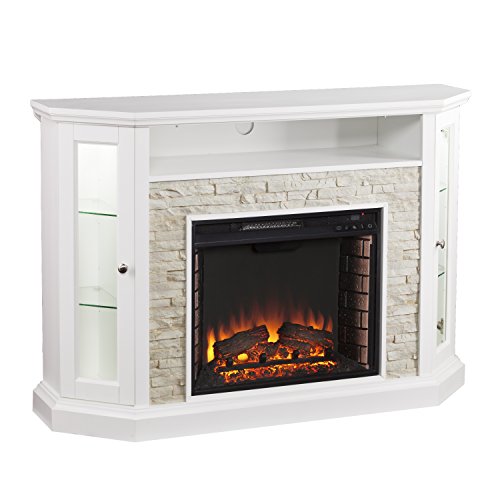
12 Best Corner Electric Fireplace 2026: My Ultimate Guide To Pick One

Best Battery Powered Snow Blower 2026 For Effortless Snow Clearing
Best Ski Goggles Under 30 Inches For Crisp Vision And Comfort

Best Cooling Scarf 2026 For Instant Relief And Comfort

Fake Snow for Grass: Create a Realistic Winter Lawn Display
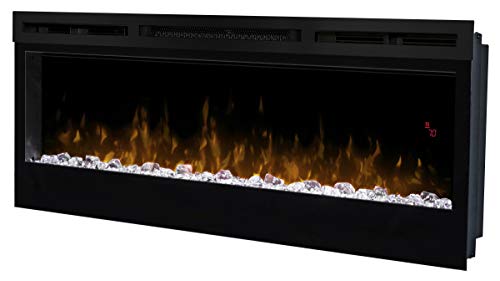
Dimplex Prism Wall Mount Fireplace: Sleek Heat With Modern Flame Style