How to Avoid Programming Errors on Your Heater

Most people assume a digital heater that shuts down or displays a blinking error code has a broken electronic board. In reality, most shutoffs happen because of conflicting timer commands or mismatched temperature targets. You can stop nearly every digital freeze by setting the internal clock accurately, avoiding overlapping schedules, and plugging straight into a wall outlet so voltage drops do not wipe the unit's stored memory.
The right fix depends on how your heater handles data. Basic models rely on a simple countdown switch that clears itself every cycle, while advanced units store a full weekly schedule in an internal chip. Room placement plays a big role too, since trapped hot air around the built-in temperature reader can fool the safety system into locking the controls. Taking a few minutes to match your settings to how the machine actually runs will save you from freezing rooms and sudden glitch codes.
When a digital electric space heater clicks off unexpectedly or refuses to kick on, many people assume the unit has broken down. In most cases, the hardware is completely sound, but the heater received conflicting digital commands. Electric heaters rely on compact microprocessors that follow inputs literally. If two instructions clash, the software defaults to an error state or turns off the heating element to stay safe.
One common mistake is setting the target temperature too close to the current room temperature. If your room is 68 degrees Fahrenheit and you set your digital thermostat to 69 degrees, the heater may run for two minutes, warm the immediate air around its intake, and shut off. To the user, the heater failed. To the internal computer, it successfully reached your target.
Another frequent problem comes from mixing up timer functions. Many modern portable heaters provide two separate timer features: an auto-off countdown timer and a delayed-start timer. When users accidentally turn on both features at once, the heater enters an internal logic conflict and shuts down immediately upon starting.
A third pitfall is an accidental button freeze to stop accidental touches, often labeled as a child lock or lockout mode. If someone leans on a button or holds down a combination of keys, the control panel locks out future inputs. Pressing other buttons simply causes the display to blink or beep without changing your heat settings.
Finally, power interruptions cause widespread memory loss. A standard 1500-watt heater draws roughly 12.5 amps of electricity on a standard 120-volt household circuit. If you plug into a loose wall outlet or share a 15-amp circuit with other appliances, minor voltage drops can restart the circuit board. When that happens, the heater forgets your custom schedule and reboots to factory default settings.
How to Program Timers and Target Heat Levels Step by Step
Setting up a digital space heater should deliver steady comfort rather than confusion. Following an orderly setup sequence ensures that the internal computer registers each setting cleanly without creating conflicting commands.
- Check current room temperature and clear previous inputs. Turn on the heater in fan-only mode or low heat for two minutes so room air circulates across the internal sensors before entering new numbers. The reason: this provides an accurate baseline temperature reading instead of measuring stagnant heat trapped inside the plastic shell.
- Pick either a countdown timer or a continuous temperature target. Decide whether you want the heater to run for a specific block of time or hold a steady temperature all day, rather than scheduling both together. The reason: budget control boards prioritize the auto-off timer over thermostat commands, which shuts down the heating element before the room reaches your desired warmth.
- Set your target temperature three to five degrees above the room reading. If the digital display indicates that the surrounding space is 66 degrees Fahrenheit, program your target to 70 or 71 degrees Fahrenheit. The reason: the ceramic heating element that warms up in seconds creates an immediate bubble of warm air near the casing, so giving the thermostat a small cushion stops early shutoffs.
- Choose your heat setting before activating any timer functions. Select low power (such as 700W or 900W) or high power (1500W) before setting your operational hours. The reason: changing wattage levels while a timer countdown is already running can wipe the active countdown on many digital models.
- Confirm the display and monitor the first heating rhythm. Wait five seconds after pressing buttons until the digital numbers stop flashing and remain solid on the screen, then observe the heater for ten minutes. The reason: solid digits confirm that the microprocessor saved your settings, and watching the first cycle proves the heater follows its normal on-and-off heating rhythm smoothly.
Positioning Your Heater to Prevent Sensor Errors
Digital heaters rely on a built-in temperature reader, often located near the cold-air intake grille, to decide when to produce heat and when to rest. If you place the heater in an improper location, that sensor receives false readings, triggering rapid shutoffs or false error codes. Use this checklist to keep your sensors reading room conditions accurately:
- Maintain a 3-foot safety buffer: Keep at least 36 inches of clear space on all sides of the heater. Keeping the unit clear of curtains, furniture, and bedding prevents heat from bouncing back against the casing and triggering false thermal warnings.
- Place the unit on a flat, solid floor: Thick carpets can push against the base and partially trigger the tip-over safety switch that cuts power instantly if the unit is knocked over or tilted. An uneven floor makes the safety switch wobble, creating intermittent power cutoffs and error alerts.
- Avoid dead-air pockets and tight corners: Placing a heater inside a narrow alcove or under a desk traps rising heat. The built-in temperature reader will sense high heat while the open room remains cold, causing the thermostat to cut off prematurely.
- Keep clear of direct cold drafts: Cold drafts blowing directly onto the rear intake grille trick the sensor into reading freezing temperatures, forcing continuous 1500-watt operation. If you need warmth in drafty living areas, such as using a heater to warm drafty spaces, place the heater where room air circulates evenly rather than directly in front of drafty door thresholds.
- Avoid damp environments: Unless a heater has a certified splash rating, damp air in bathrooms or laundry areas can condense on circuit boards, scrambling digital programming.
How to Clear Error Codes with a Clean Power Reset
When a digital heater displays an error code such as E1 or E2, the control board locks up as a safety precaution. Pushing buttons will not work until you clear the logic fault. You can clear temporary software glitches by completing a systematic reset sequence.
- Turn off the unit and unplug the cord: Power off the digital switch and let the fan stop completely. Grasp the plug head firmly and pull it straight out from the wall outlet.
- Wait 15 full minutes: Leave the heater completely unplugged for at least 15 minutes. Digital circuit boards hold residual power in small capacitors, and waiting allows all electrical charge to drain away, wiping temporary error memory.
- Clean the air intake grilles: Inspect the intake vents on the back and sides for dust or pet fur. Use a dry cloth or vacuum brush attachment to remove debris, as blocked airflow is the most common cause of false sensor faults.
- Plug directly into a dedicated wall outlet: Plug the unit back into a standard 120-volt wall receptacle. Never use extension cords, power strips, or surge protectors, which can overheat, drop voltage, and trigger fresh programming errors.
- Execute a memory wipe back to original settings: Power the heater on. If the code remains, hold down the power and timer buttons simultaneously for ten seconds to perform a factory reset back to initial settings.
How to Tell a Programming Error from an Overheating Safety Trip
You should always distinguish between an electronic programming mistake and a physical safety shutdown. Portable heaters include an automatic overheat sensor that shuts the unit off if internal parts get dangerously hot. When this mechanical switch trips, it mimics a digital freeze by cutting heat abruptly, but the cause requires physical inspection rather than button adjustments.
A programming error leaves the heater completely cool. The outer case stays at room temperature, the intake vents are clear, and the screen displays normal icons or flashing timer digits. Conversely, an overheat shutdown presents clear physical warning signs that you can easily detect.
Touch the outer housing carefully with the back of your hand. If the plastic grille or side panels feel hot enough to cause discomfort, the internal safety switch has opened to stop a potential fire hazard. You might also notice a burning dust smell. In that situation, the heater will not respond to any buttons until it cools for 30 to 45 minutes.
Check the wall outlet and electrical plug as well. If the plug prongs feel unusually hot, show dark scorch marks, or cause the wall plate to warm up, stop using the heater immediately. This points to a failing wall outlet under the 12.5-amp electrical load rather than a programming error. When warming rugged or unheated areas, choosing a properly rated electric heater for a garage with a thermostat ensures the internal parts and connections handle demanding heating cycles safely.
Frequently Asked Questions
Why does my heater turn off right after reaching the target temperature?
This happens when the programmed warmth is set too close to the current room temperature. The fan blows heat that quickly swirls around the cabinet, causing the built-in temperature reader to detect that the target has been satisfied. Setting your thermostat three to five degrees higher and keeping three feet of open clearance prevents this short cycling.
Why do my programmed timer schedules disappear every time the unit turns off?
Most portable space heaters rely on volatile digital memory chips that require constant electrical power to store custom timers. Unplugging the cord or flipping off a rear master rocker switch cuts power to the chip, resetting the unit to original factory settings. To retain your programmed settings, put the unit into standby mode using the digital power button instead of unplugging it.
Can I connect my digital heater to an external outlet timer?
Using an external mechanical or digital plug-in timer is not recommended for digital space heaters. Because digital models require a physical or electronic button press to start heating after receiving power, external timers simply leave the heater sitting in idle standby mode. Connecting a 1500-watt heater to an external timer can also overheat the timer casing and create a serious fire hazard.
What should I do if an error code remains on the screen after a reset?
If an error code persists after a full 15-minute unplugged cool-down and a memory wipe back to original settings, an internal component has likely failed. This usually indicates a broken heating element, a failed fan motor, or a disconnected internal temperature sensor. Stop using the heater, leave it unplugged, and contact the manufacturer or a certified appliance repair professional.


Best Warm Winter Scarves 2026 For Cozy Comfort

Best Green Ski Goggles 2026 For Clear Vision On Slopes
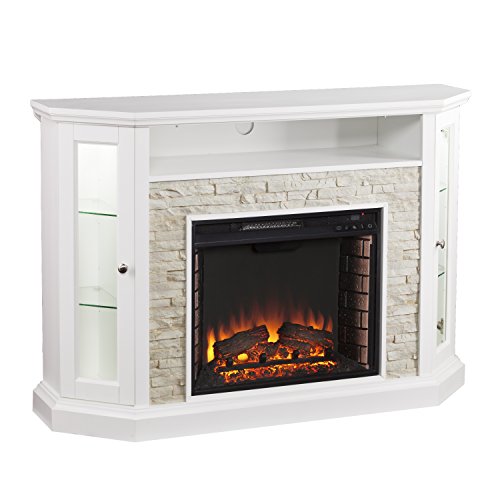
12 Best Corner Electric Fireplace 2026: My Ultimate Guide To Pick One

Best Battery Powered Snow Blower 2026 For Effortless Snow Clearing
Best Ski Goggles Under 30 Inches For Crisp Vision And Comfort

Best Cooling Scarf 2026 For Instant Relief And Comfort

Fake Snow for Grass: Create a Realistic Winter Lawn Display
Dimplex Prism Wall Mount Fireplace: Sleek Heat With Modern Flame Style