How to Safely Control Your Space Heater Remotely

Three simple tools handle remote room heating. Controlling room warmth from a phone usually comes down to a heavy-duty smart plug or an infrared smart hub. These gadgets let an app send power or signals from across town, letting chilly spaces warm up before anyone walks through the door.
The right choice depends directly on the switch style on the heater. Units with a physical dial switch (a turn dial or toggle that stays clicked in place) start heating the moment power flows, but digital push buttons drop into standby mode whenever an outlet cuts off. Safe operation also requires an adapter rated for a full fifteen amps to handle continuous heat without melting. Here is how to match your equipment to the right setup and connect it safely.
The Short Version
- Check your switch first: Smart plugs only work with a mechanical switch (a physical click switch or turn dial that stays in place). Digital push buttons reset to standby mode when power is interrupted.
- Choose heavy-duty hardware: Your smart plug must have an amperage rating (the maximum electrical flow a plug can handle without melting) of 15 amps and support 1875 watts. Never use a 10-amp smart plug designed for lamps.
- Pick the right control method: Use a heavy-duty smart plug for dial heaters, an IR hub (a small smart remote box that mimics your handheld remote control) for remote-controlled heaters, or a Wi-Fi heater for direct app control.
- Protect your room: Keep a 3-foot safety buffer between your heater and any furniture, bedding, or curtains, and verify built-in shutoff sensors before turning heat on remotely.
Check Your Heater Switch Type
Before buying smart accessories, look closely at how your heater turns on. Space heaters manage power in two distinct ways, and this single detail determines whether remote automation works or fails.
The first type uses a mechanical switch (a physical click switch or turn dial that stays in place). When you flip a rocker switch or turn a dial to high, the internal circuit stays physically connected. If power cuts off at the wall and returns later, the heater resumes heating immediately. Simple dial heaters work reliably with smart plugs because the plug acts just like a wall switch.
The second type uses digital electronic push buttons or a touch screen. These heaters rely on an internal circuit board. When power cuts out, the electronic board loses power and resets to standby mode. Even if your smart plug turns on from miles away, a digital heater sits idle, waiting for someone to press the power button. Manufacturers design them this way so they will not turn on unexpectedly after a power outage.
You can verify your switch type in seconds. Plug your heater into a wall outlet, turn it on, and let it run. While it is blowing heat, pull the power cord straight out of the wall. Wait five seconds, then push the plug back in. If the heater instantly turns back on and produces heat, it works with a smart plug. If it stays dark, beeps, or stays on standby, you need an infrared smart remote or a Wi-Fi heater instead.
Three Ways to Control Your Heat Remotely
The right remote method depends on your heater design and how much control you need over your room warmth.
Method 1: The heavy-duty smart plug. This is the simplest option for heaters with mechanical dials. The smart plug fits between your wall outlet and the heater cord. Using your smartphone app, you can switch power on or off from anywhere. But keep in mind that a smart plug only controls electricity flow. It cannot change fan speeds, switch heat settings, or adjust your temperature dial. You must set your desired heat level on the machine manually before turning off the plug.
Method 2: An infrared smart hub. If your heater uses digital buttons and includes a handheld plastic remote control, a smart plug will not turn it on. An IR hub (a small smart remote box that mimics your handheld remote control) solves this problem. You place the hub in the room with a clear line of sight to the heater front panel. The hub connects to your Wi-Fi network and duplicates your handheld remote signals. Through your phone app, you can turn the heater on, change power levels, adjust the digital temperature dial, and control oscillation. If you need remote warmth in drafty, chilly spaces like an enclosed patio, pairing your setup with the best heater for enclosed porch helps you warm the area before stepping outside.
Method 3: Wi-Fi connected space heaters. Upgrading to a heater with built-in Wi-Fi offers the smoothest control. These units connect directly to your home network without extra plugs or hubs. Their companion apps let you track room temperature in degrees Fahrenheit, set schedules, adjust fan modes, and receive alerts if the unit tilts.
How to Set Up a Heavy-Duty Smart Plug
If you confirmed your heater has a mechanical switch that restarts automatically, follow these ordered steps to set up a smart plug safely:
- Confirm the plug electrical rating. Check the label on the smart plug. It must have an amperage rating (the maximum electrical flow a plug can handle without melting) of 15 amps and handle 1875 watts. Standard portable space heaters draw up to 1,500 watts on high (about 12.5 amps on a standard 120-volt household circuit). Never use a cheap 10-amp smart plug designed for table lamps, as the sustained heat can melt the plastic casing.
- Plug directly into a wall outlet. Insert the smart plug directly into a grounded 120-volt wall socket. Never plug it into an extension cord, power strip, or multi-outlet adapter. Extra connections create resistance and heat buildup. Ensure the outlet circuit is not already running other heavy appliances like microwaves or hair dryers.
- Connect the plug to your phone app. Download the plug maker app and connect your phone to your 2.4 GHz home Wi-Fi network. Follow the in-app pairing instructions, and give the plug a clear name such as "Bedroom Heater."
- Set an automatic shutoff routine. Before connecting your heater, program an auto-off timer in the app. Set the smart plug to turn off automatically after 60 or 90 minutes. This fail-safe timer prevents the heater from running continuously if you forget to turn it off.
- Set your heater controls. Plug the heater cord into the smart plug. Turn the heater switch to your chosen heat setting (such as 750W Low or 1500W High), adjust the mechanical thermostat dial up, and turn the smart plug off in your app. Your setup is now ready for remote control.
Unattended Heating Safety Rules
Turning on a high-draw space heater from your phone brings great convenience, but running a heating element when you are not in the room requires careful precautions. Follow these safety rules before activating your heater remotely:
- Maintain the 3-foot safety buffer: Keep all bedding, drapes, blankets, rugs, upholstered furniture, and paper at least 3 feet (36 inches) away from the heater. Never point the warm airflow directly at combustible objects.
- Use a hard, level floor: Never place a space heater on thick carpets, soft rugs, tables, or countertops. A flat, solid floor ensures the tip-over safety switch that cuts power instantly if the unit is knocked over or tilted stays stable and ready to operate.
- Keep airflow grilles clean: An automatic overheat sensor that shuts the unit off if internal parts get dangerously hot protects your home, but dust buildup can trap internal heat and cause sudden shutoffs. Vacuum the front and rear grilles regularly.
- Check outlet temperature after initial use: Run your heater for 20 minutes, then feel the wall outlet faceplate and the smart plug. Both should feel warm, but never hot to the touch. If the outlet feels hot, smells like scorched plastic, or trips your circuit breaker, turn the unit off, unplug it, and consult a licensed electrician.
- Never leave heaters unattended around pets: Do not turn on a floor heater remotely if pets roam freely in the room. A running dog or curious cat can knock the unit over or drag bedding against the hot front grille.
Upgrading to a Built-in Smart Heater
If your existing heater has digital buttons that reset when power cuts out, or if you want precise temperature adjustments from anywhere, buying a heater with built-in smart controls is the cleanest solution. Native smart models eliminate the need for extra plugs and hubs.
When shopping for a smart heater, look for recognized US safety marks like UL, ETL, or CSA on the rating label. Choose a unit with a ceramic heating element that warms up in seconds combined with a fan that pushes warm air across the room. These ceramic systems warm spaces quickly while keeping outer surfaces cooler.
Make sure the heater offers multiple heat settings, such as a lower power level around 700 to 900 watts for gentle warmth and a 1500-watt high mode for faster heating. Check that the companion app lets you monitor room temperature in real time and schedule heating cycles. For outbuildings, basements, or garages that demand steady warmth without constant monitoring, comparing options like the best electric heater for garage with thermostat will help you match power capacity to larger square footage.

- BWP Score9.3
BWP Score is a ranking system developed by Bestwinterproducts.com. BWP score has no relationship or impact from any manufacturers or sales agent websites. Learn more
- BrandWINHL

- BWP Score8.3
BWP Score is a ranking system developed by Bestwinterproducts.com. BWP score has no relationship or impact from any manufacturers or sales agent websites. Learn more
- BrandWINHL

- BWP Score7.4
BWP Score is a ranking system developed by Bestwinterproducts.com. BWP score has no relationship or impact from any manufacturers or sales agent websites. Learn more
- BrandDREO

- BWP Score7.4
BWP Score is a ranking system developed by Bestwinterproducts.com. BWP score has no relationship or impact from any manufacturers or sales agent websites. Learn more
- BrandAmazon Basics

- BWP Score7.2
BWP Score is a ranking system developed by Bestwinterproducts.com. BWP score has no relationship or impact from any manufacturers or sales agent websites. Learn more
- BrandAmazon Basics
Last update on 2026-10-16 / Affiliate links / Images, Product Titles, and Product Highlights from Amazon Product Advertising API
FAQs
Can I plug my smart plug and space heater into an extension cord?
No. You should never connect an extension cord, power strip, or surge protector to a space heater or smart plug. Space heaters draw up to 12.5 amps continuously, which can overheat extension cords and melt insulation. Always plug your 15-amp smart plug directly into a grounded 120-volt wall outlet.
Why does my heater shut down after running for only a few minutes?
Your heater is likely triggering its automatic overheat sensor. This safety sensor cuts power when airflow becomes blocked or internal parts get too hot. Turn the unit off, unplug it, let it cool completely, and vacuum any dust or pet hair from the intake grilles.
Will controlling my space heater remotely lower my electric bill?
Yes, remote control helps save energy when you practice zone heating. Instead of running central heating for the entire house, you can turn on a single 1500-watt heater 20 minutes before using a room. App-based timers also ensure the heater does not run all day by accident.
What should I do if my smart plug feels hot while the heater runs?
Unplug both the heater and the smart plug immediately. A hot plug indicates an electrical overload, weak outlet contacts, or a plug unable to handle continuous 1500-watt current. Confirm that your plug is rated for 15 amps and 1875 watts, and contact a licensed electrician if the wall outlet remains hot.


Best Warm Winter Scarves 2026 For Cozy Comfort

Best Green Ski Goggles 2026 For Clear Vision On Slopes
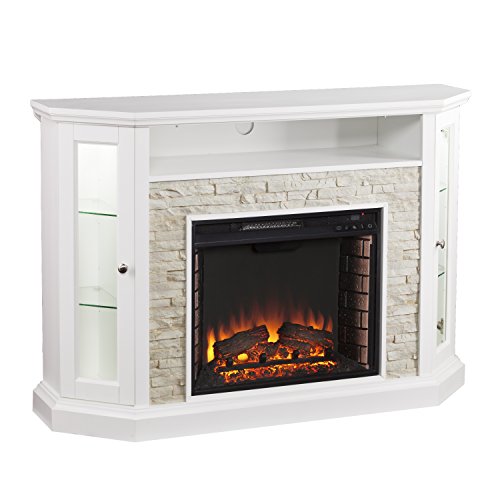
12 Best Corner Electric Fireplace 2026: My Ultimate Guide To Pick One

Best Battery Powered Snow Blower 2026 For Effortless Snow Clearing
Best Ski Goggles Under 30 Inches For Crisp Vision And Comfort

Best Cooling Scarf 2026 For Instant Relief And Comfort

Fake Snow for Grass: Create a Realistic Winter Lawn Display
Dimplex Prism Wall Mount Fireplace: Sleek Heat With Modern Flame Style