How to Fix a Dyson Heater Not Blowing Hot Air

A cold blast from a warm-setting heater rarely means the machine is ruined. Most often, restoring heat simply requires setting the target temperature higher than the room reading, wiping dust off the base, and unplugging the power cord for two minutes to clear the internal computer. These units use sensitive safety switches that cut heat immediately if the vents gather lint or the room sensor decides it is warm enough.
The exact fix depends on what the screen shows and how clean the air vents are. A flashing warning symbol points to an electrical glitch or a tripped internal fuse, while quiet room-temperature air usually points to trapped dust choking the lower intake holes. Checking these points takes only a few minutes. Follow the straightforward steps below to clear the blockage and get heat flowing again.
Is your Dyson actually set to blow warm air?
Dyson Hot+Cool machines combine a cooling fan and a space heater in one unit. Because of this dual setup, you might have the machine running in cooling mode by mistake. The unit uses a thermostat, which is a temperature sensor that measures room air, to monitor ambient warmth. If this sensor detects that the room is already warmer than your chosen setting, it turns off the heating element and blows room-temperature air to avoid overheating.
Before assuming your machine is broken, run through this quick checklist:
- Check the display color: Look at the illuminated ring on the power button or the base readout. A blue light means cooling mode, while a red light means heat mode. Tap the red button on your remote control to switch to heating.
- Raise your target temperature: If your room is 68°F and the Dyson is set to 69°F, the machine quickly shuts off the heat. Turn the target temperature at least two or three degrees above room temperature, pushing it to 72°F or higher.
- Listen for the internal click: When heat turns on, you will hear a quiet mechanical click from the base. That click is the internal relay sending power to the ceramic heating element that warms up in seconds.
- Lower the fan speed: At maximum fan speed, air rushes past the heating loop too fast to warm up thoroughly. Drop the airflow speed to level 3 or 4 so the air absorbs more warmth.
How do you reset your Dyson heater?
If your settings are correct and the display glows red, but the air stays cold, the internal computer may be stuck in a safety lock. Dyson heaters use control boards that constantly monitor electrical current and heat levels. A sudden power flicker, a brief outage, or bumping the unit while it runs can trigger an automatic software freeze that cuts off heat.
You can clear these temporary software glitches by performing a power cycle, which means unplugging the unit from the wall to clear the internal memory. Tapping the remote power button only puts the machine into standby mode. Follow these steps:
- Turn the machine off: Press the power button on the base or remote until the display goes dark.
- Unplug the power cord: Pull the plug directly out of the wall outlet rather than switching off a power strip.
- Wait two full minutes: Leave the machine unplugged for two minutes. Dyson circuit boards contain capacitors that store electricity, and waiting allows that lingering charge to drain away.
- Drain residual power: While the machine remains unplugged, press and hold the power button on the base for ten seconds.
- Plug directly into the wall: Insert the plug firmly into a standard 120-volt wall outlet.
- Turn the heat back on: Power the machine on, tap the red heating button, set the temperature well above room temperature, and verify that warm air flows within twenty seconds.
Are blocked air holes causing your heater to cut out?
Choked airflow is a leading reason a Dyson heater stops blowing hot air. Dyson units pull room air through the air inlet, which consists of the small holes around the base that pull room air inside. When pet hair, carpet fibers, and household dust cover these holes, the internal ceramic plates cannot get enough cooling air.
When heat builds up inside the base, the machine triggers its thermal cut-out, which is a safety switch that shuts off heat when airflow is blocked. The fan continues blowing cool air to bring internal temperatures back down. Clear the blockage with these steps:
- Unplug and cool the unit: Switch the heater off, disconnect the plug from the wall, and wait fifteen minutes until the casing feels completely cool.
- Clean the base inlet holes: Use a soft, dry brush or the brush attachment of a vacuum cleaner to gently sweep lint from the perforated mesh. Never use water or spray cleaners on these vents.
- Inspect the filter: If you have a Pure Hot+Cool model, release the side latches and remove the outer shroud. If the filter looks dark grey or caked with dust, replace it. A clogged filter blocks air just like dirty inlet holes.
- Wipe the amplifier loop: Use a dry microfiber cloth to clean the inner rim and front air slits where air exits the machine.
- Provide clearance: Maintain a 3-foot safety buffer around the machine, keeping it away from drapes, bedding, and deep carpets that choke lower vents.
What do the flashing lights and error codes mean?
When an internal issue prevents heating, the base display often shows an alert code or a blinking light:
- Flashing red light on the power ring: A blinking red ring usually means the heater has overheated or the tilt sensor has triggered. Dyson heaters include a tip-over safety switch that cuts power instantly if the unit is knocked over or tilted. If the heater sits tilted on an uneven rug, this switch cuts the heating loop. Move the unit to a flat, hard floor, leave it unplugged for thirty minutes, and plug it back in.
- Exclamation mark symbol: An exclamation mark on the circular digital screen signals a general hardware fault, often caused by restricted airflow or motor resistance. Clean the air intake holes, check the filter, and perform a two-minute power reset.
- Error code F1, F2, or F3: These codes point to an electrical communication problem or an issue with the fan motor assembly. Unplug the machine, let it rest, and plug it into an outlet on a different circuit. If the code returns immediately, the internal circuitry requires professional service.
- Error code H2: An H2 code indicates that the heating element failed to warm up properly. This can happen if the room is unusually cold (under 41°F), preventing the sensor from registering heat, or if the heating element has failed. Move the heater into a warmer room for an hour before checking it again.
Could your electrical outlet be cutting off the heat?
Space heaters demand significant electrical power. In American homes, portable electric heaters draw up to 1,500 watts, which equals about 12.5 amps on a standard 120-volt household circuit. Because this load sits near the 15-amp limit of standard residential circuits, any electrical bottleneck will cause the heater to shut down its heating element for safety.
Use this short checklist to ensure your machine receives clean, uninterrupted power:
- Ditch extension cords and power strips: Always plug your Dyson directly into a wall outlet. Thin extension cords and power strips cannot handle 12.5 amps continuously. They cause voltage drops that prevent heating and create fire hazards.
- Check for overloaded circuits: If your Dyson shares a circuit breaker with high-draw appliances like a microwave or hair dryer, the breaker may trip or voltage may sag. When voltage sags, the Dyson heater's internal computer shuts off the heating element to protect itself from under-voltage damage. Try an outlet in another room to verify.
- Inspect the outlet for loose prongs: If the plug fits loosely into the wall socket or sags downward, the contacts inside the wall box are worn out. Loose contacts create electrical resistance, generating heat at the plug and starving the heater. If an outlet feels warm to the touch, stop using it immediately and call a licensed electrician.
While heavy-duty work areas like workshops often rely on rugged equipment such as electric heaters with built-in thermostats built for rough conditions, your Dyson requires a solid, direct household outlet to function properly.
When is your Dyson broken and ready for repair?
If you have confirmed your heat settings, cleaned the intake holes, completed a full power reset, and plugged the machine straight into a strong wall outlet, but it still blows cool air, an internal component has likely failed.
The most common culprit behind persistent cold air is a blown thermal fuse or a broken heating loop. The thermal fuse is a one-time safety cutoff that permanently melts if the heater exceeds a critical temperature threshold. If the unit overheated in the past from dust buildup or being tipped over, that fuse may have blown to protect your home. Once blown, it cannot reset, and electricity can no longer reach the ceramic heating element.
Here are the next steps you should take:
- Never take the heater apart: Dyson units use tamper-resistant screws and delicate internal ribbons. Disassembling the casing voids your manufacturer warranty and creates a serious risk of electrical shock or fire hazard when reassembled.
- Locate your serial number: Find the thirteen-character serial number printed on the white sticker underneath the base or behind the filter assembly. You will need this when contacting support.
- Check your warranty coverage: Dyson Hot+Cool heaters usually carry a two-year limited warranty when purchased new. If you are within this window, Dyson will typically repair the machine, replace the base unit, or exchange it at no cost.
- Contact Dyson support: Reach out via Dyson's official website chat or phone helpline. Explain that the display turns red and calls for heat, the fan operates normally, but no warm air emerges even after cleaning and a full power cycle.
If your machine is out of warranty and repair fees are excessive, you may prefer an affordable backup to stay warm immediately. In drafty living spaces, exploring heaters designed for drafty enclosed spaces can help you keep your room comfortable while you decide whether to replace or repair your machine.
FAQs
Why does my Dyson heater blow warm then turn cold?
Your Dyson blows warm air at first and then switches to cool air because it has reached your target room temperature. The digital temperature dial clicks on and off to hold your set warmth, turning off the heating element while keeping the fan running to circulate air. Raise your target temperature by three to five degrees to keep the heating element running longer.
Can a dirty filter stop my Dyson from heating?
Yes, a dirty filter can stop the machine from blowing hot air. A clogged filter blocks incoming airflow, causing internal temperatures inside the base to rise rapidly. This triggers the automatic overheat sensor that shuts the unit off if internal parts get dangerously hot, leaving the fan blowing cool air to prevent damage.
Why does my Dyson display a red flashing light?
A flashing red light on the power ring indicates that an internal safety switch has shut down the heater. This usually happens when the machine overheats from blocked intake holes or when the tip-over sensor detects an uneven surface. Unplug the heater for two minutes, place it upright on a hard, flat floor, clean the vents, and restart it.
Is there a manual reset button on a Dyson heater?
No, Dyson heaters do not have a physical red reset button on the outside of the machine. You reset the unit by performing an unplugged power cycle. Unplug the cord from the wall for two full minutes, hold down the base power button for ten seconds while unplugged, and then plug it back directly into a wall outlet.


Best Warm Winter Scarves 2026 For Cozy Comfort

Best Green Ski Goggles 2026 For Clear Vision On Slopes
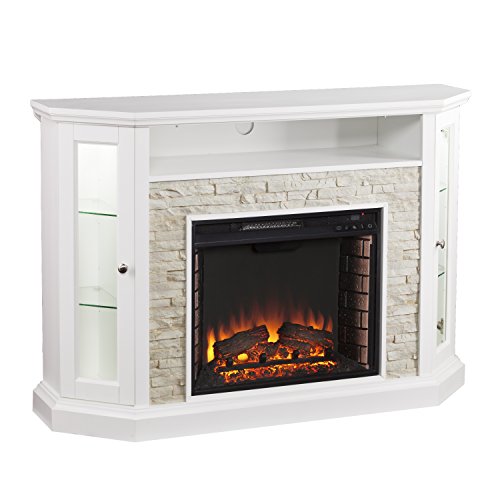
12 Best Corner Electric Fireplace 2026: My Ultimate Guide To Pick One

Best Battery Powered Snow Blower 2026 For Effortless Snow Clearing
Best Ski Goggles Under 30 Inches For Crisp Vision And Comfort

Best Cooling Scarf 2026 For Instant Relief And Comfort

Fake Snow for Grass: Create a Realistic Winter Lawn Display
Dimplex Prism Wall Mount Fireplace: Sleek Heat With Modern Flame Style