How to Fix a Dyson Heater That Won't Turn On

Unplugging the heater for sixty seconds to reset the internal electronics will get most unresponsive machines running again right away. That quick restart only fails when the unit shut down to protect itself from excessive heat. When heat builds up inside, the machine locks itself out and will not turn back on until the temperature drops.
What to do next depends on what the display shows and how clean the vents are. A completely dark screen often points to a tripped wall outlet or a dead remote battery, while a blinking symbol signals blocked air holes around the base. If trapped lint choked off airflow, the safety switch needs up to an hour to cool down completely before power returns. Checking a few basic parts will reveal why the heater stopped and get warm air flowing again safely.
The Short Version
When a Dyson heater refuses to turn on, the issue is usually a tripped safety switch, trapped dust, or an unresponsive remote control. Walk through these quick checks to restore power:
- Perform a power cycle: Unplug the machine for at least 60 seconds to clear temporary digital errors, then plug it directly back into a wall outlet.
- Eliminate power strips: Plug the cord straight into the wall. Surge protectors and extension cords often fail under the heater's high electrical draw.
- Clear dust and let it cool: Clean the small air holes around the base of the machine. If the unit overheated, leave it unplugged for 30 to 60 minutes so the safety switch can reset.
- Press the base power button: Turn the heater on using the physical switch on the base to confirm whether the problem is simply a dead remote battery.
Step 1: Perform a 60-Second Hard Power Reset
Dyson heaters rely on internal circuit boards to regulate temperature and monitor safety sensors. Just like a computer, these microprocessors can lock up after a power spike, a brief voltage drop, or static buildup. When this happens, the unit stops responding to both the remote and the base buttons.
Performing a power cycle (unplugging the unit to clear its internal memory) allows stored electricity in the capacitors to drain completely. Follow these steps:
- Turn off the machine if any lights remain on, then pull the plug straight out of the wall outlet.
- Leave the machine completely unplugged for at least 60 seconds. Do not rush, as the internal board needs time to reset.
- Check the plug prongs for any bending, scorch marks, or loose connections.
- Plug the power cord firmly back into a wall outlet.
- Press the power button on the lower body of the machine to see if the display wakes up.
If the display illuminates and the fan pushes air, the lockout was a temporary glitch. If the unit remains completely dark, check your home power source next.
Step 2: Check the Wall Outlet and Remove Surge Protectors
In US homes, portable space heaters draw up to 1,500 watts, which is about 12.5 amps on a standard 120-volt circuit. Because most household rooms run on 15-amp breakers, the heater demands nearly the entire capacity of that electrical line. Power strips, surge protectors, and extension cords add electrical resistance, which can starve the heater of voltage or trip the power strip's internal breaker.
Always plug your Dyson heater directly into a permanent wall socket. High-draw appliances require reliable wiring, similar to dedicated circuits used for an electric heater for a garage with a thermostat, so sharing a circuit with other electronics will cause sudden shutdowns.
Use this quick power checklist to confirm the outlet works properly:
- Remove all adapters: Unplug the heater from any power strip and seat the plug directly into the wall receptacle.
- Verify socket power: Plug a small lamp into that exact wall socket to confirm electricity is flowing.
- Reset safety outlets: If you are plugged into a GFCI outlet (a wall socket equipped with built-in reset buttons), push the reset button firmly until it clicks.
- Inspect the breaker box: Look for any breaker switch in your electrical panel sitting between on and off. Flip it fully to off, then back to on.
Step 3: Clear Dust Blockages and Cool the Safety Switch
Every Dyson heater includes a thermal cut-out (a safety switch that shuts off power if the machine gets too hot). When air cannot flow freely through the heating element, internal temperatures rise in seconds. To prevent heat damage and eliminate fire hazards, this automatic sensor cuts all electrical power immediately.
The most frequent cause of this sudden shutoff is dust clogging the inlet grille (the small air holes around the base of the machine). Over time, household dust and pet hair form a blanket over these perforations. In drafty areas where dust circulates easily, much like conditions you might manage with a heater for an enclosed porch, keeping those lower air vents unobstructed is essential for continuous operation.
Once tripped, the safety switch will not allow the machine to turn back on right away. The internal metal sensor must cool down completely to snap back into position. Follow these steps to restore airflow and clear the switch:
- Wait for the cooldown period: Leave the heater unplugged for 30 to 60 minutes. Turning it on after only a few minutes will fail because the switch remains hot.
- Vacuum the base air holes: Run a vacuum cleaner with a soft brush attachment over the small base holes to clear trapped lint and dust.
- Wipe the loop clean: Wipe the air exit channels with a dry cloth. Never use water or cleaning sprays, as liquid inside the housing ruins the electronics.
- Maintain a 3-foot safety buffer: Keep the heater at least 3 feet (36 inches) away from bedding, drapes, and walls to prevent trapped heat from triggering another shutdown.
Step 4: Use the Base Power Button to Rule Out a Dead Remote
Many Dyson owners operate their machine exclusively with the small curved remote control that docks on top of the loop. If the remote battery dies or the sensor window gets dirty, the heater will seem dead even when the appliance itself works perfectly.
You can isolate whether the problem is the machine or the remote by checking the manual controls:
- Press the manual power switch: Press the physical power button on the lower body of the heater. If the display lights up and warm air begins to flow, the machine is fine, and your remote is the source of the problem.
- Install a fresh coin battery: The remote uses a standard CR2032 lithium coin battery. Open the battery compartment on the back of the remote, remove the old battery, and insert a fresh CR2032 with the plus sign (+) facing up.
- Clean the receiver window: Dust and smudges on the high-gloss plastic base can block infrared signals. Wipe the display area gently with a dry microfiber cloth.
- Aim straight at the base: Point the remote directly at the digital display on the lower body rather than at the upper air loop.
If the physical base button still produces no light or sound, the problem lies in the machine's internal electrical path.
Step 5: Decipher Error Codes and Know When to Call Dyson Support
When internal sensors detect an operational fault, the digital display shows specific visual signals. Understanding these codes tells you whether the issue can be fixed at home or requires authorized service:
- Flashing red light: A continuous blinking red light indicates an internal system fault, often triggered when internal parts exceed safe temperatures or a heating component fails. Unplug the machine for 60 minutes. If the flashing red light returns immediately, the unit needs repair.
- Flashing blue light: On smart models, this usually signals that the machine is searching for a Wi-Fi connection. It does not stop the heater from working manually, so press the base power button to turn it on.
- Letter "F" error codes: Codes such as F1, F2, or flashing horizontal lines warn of a motor problem or internal board fault that standard resets cannot fix.
- Tilted base switch: Dyson heaters feature an internal tip-over safety switch that cuts power instantly if the unit is knocked over or tilted. If the heater rests on a thick rug or uneven surface, place it on a flat, firm floor.
Unplug the unit immediately and contact Dyson support or an electrician under these conditions:
- You notice a strong burning odor coming from the vents or the cord.
- The plug prongs feel unusually hot or show melted plastic.
- The machine clicks when you push power, but the fan never starts.
- The heater repeatedly trips your household breaker box.
Never take apart the base housing yourself. Dyson heaters use tamper-resistant screws and contain delicate high-voltage wiring. Opening the casing voids your warranty and creates a severe electrical hazard.
Frequently Asked Questions
What does a flashing red light on a Dyson heater mean?
A flashing red light indicates an internal safety fault, usually caused by an overheated heating assembly or an electronic failure. Unplug the machine from the wall for at least 60 minutes and clean all dust from the small air holes around the base. If the light flashes red again immediately after plugging it back in, the internal heating circuit has failed and requires professional repair.
How long does the internal safety switch take to cool down?
The safety switch that shuts off power if the machine gets too hot takes between 30 and 60 minutes to cool down completely. Because this safety device is a mechanical sensor rather than a software timer, it must physically cool and contract before it restores electrical contact. Leave the heater unplugged in an open room for a full hour before attempting to turn it back on.
Can I plug my Dyson heater into an extension cord?
No, you should never run a Dyson heater through an extension cord, power strip, or surge protector. Dyson heaters draw up to 1,500 watts, which can quickly overheat light-gauge cord wiring and melt plastic plugs. These auxiliary cords also restrict electrical flow, which causes sudden shutdowns. Always connect the heater directly to a standard wall socket.
Why does my Dyson heater turn off after running for a few seconds?
A Dyson heater that shuts off after just a few seconds is usually reacting to a blocked air intake or an unlevel surface. Check that the small air holes around the base are free of dust and that the heater sits on a flat, hard floor rather than a plush rug. When the internal tip-over switch tilts or dust starves the heating element of air, the system cuts power instantly for safety.


Best Warm Winter Scarves 2026 For Cozy Comfort

Best Green Ski Goggles 2026 For Clear Vision On Slopes
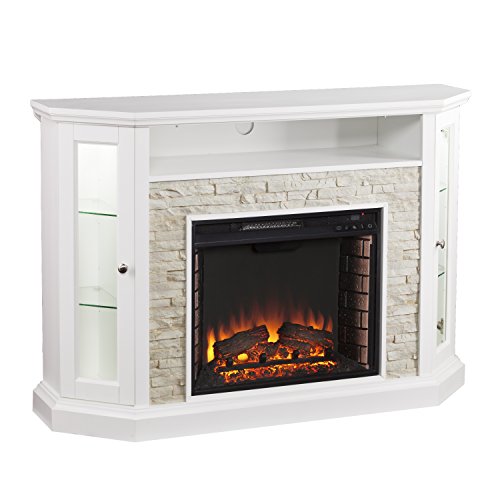
12 Best Corner Electric Fireplace 2026: My Ultimate Guide To Pick One

Best Battery Powered Snow Blower 2026 For Effortless Snow Clearing
Best Ski Goggles Under 30 Inches For Crisp Vision And Comfort

Best Cooling Scarf 2026 For Instant Relief And Comfort

Fake Snow for Grass: Create a Realistic Winter Lawn Display
Dimplex Prism Wall Mount Fireplace: Sleek Heat With Modern Flame Style