How to Preheat an RV Using a Diesel Heater Smartphone App?

Starting a diesel heater from a phone app works by sending a start command over Bluetooth or cellular data about twenty to thirty minutes before you return to the rig. How far away this works depends entirely on whether the system uses a close-range Bluetooth link or a cellular box that connects through cell towers. Basic Bluetooth only reaches across the campsite, while a cellular setup lets you heat the camper from miles away out on a trail.
Successful remote warming also relies on your twelve-volt battery having plenty of charge, since the heated pin that ignites the fuel pulls heavy electrical power during the first few minutes. You also need a full fuel tank and an exhaust pipe clear of snow drifts before leaving the heater on standby. Getting the setup right prevents error codes so you can return to a toasty, dry living space.
The Short Version
- Remote range depends on your hardware: standard Bluetooth connects from 30 to 40 feet away, while a cellular setup lets you start the heat from miles away on the trail.
- Allow 20 to 30 minutes of preheating time so the furnace can warm cold cushions, walls, and cabinetry, rather than just heating the air for a minute.
- Your 12-volt battery must stay above 12.0 volts resting, because the initial ignition pulls heavy electrical current that can trigger low-power shutdowns.
- Always check that your outdoor exhaust pipe is free of snow and internal heat vents have a 3-foot clear zone before leaving the system on standby.
Bluetooth vs. Cellular: Knowing Your Actual Remote Range
Most modern diesel parking heaters come with a basic Bluetooth receiver built into the wiring harness or controller (the small screen wired to the heater on your camper wall). Bluetooth gives you roughly 30 to 40 feet of reliable wireless range in open air. Inside an RV, thick insulation, metal framing, and composite fiberglass walls quickly cut that distance down. This local connection works great when you want to kick on the heat from your bed on a frosty morning, or while unloading gear right outside the camper door. It will not work if you are hiking three miles away and want to step into a warm living room the second you return.
For genuine long-distance control from anywhere, you need a GSM module (a cellular box connecting heater to phone networks) or a dedicated Wi-Fi module tied to an onboard mobile hotspot. A cellular unit holds its own data SIM card. As long as your RV is parked where it gets a mobile phone signal and your smartphone has coverage, you can fire up the burner from town or the trailhead. You simply press start in the app, and the cellular box relays the command to your wall controller. If you are outfitting a camper for cold-weather boondocking, selecting the right heating hardware is just as vital as choosing the heater for van life that fits your overall power setup.
Pre-Start Safety Checklist Before Leaving Your RV
Running a fuel-burning heater while you are away from your rig requires good habits. A diesel heater creates real combustion, draws fresh air from underneath the camper, and pushes hot exhaust out through the floor. Walk through these simple checks before you walk away and leave your smartphone app in charge:
- Verify fuel level: Keep your diesel tank at least one-quarter full. If the pickup straw draws air while you are away, the flame goes out, the unit blows unburnt smoke, and the controller locks out with an error code.
- Clear exterior pipes: Look under your rig. Packed snow drifts, road slush, or mud can plug the metal exhaust pipe or combustion air intake. A blocked exhaust pipe forces fumes backward or trips internal temperature sensors.
- Maintain interior clearance: Hot air exits the front vent at over 200 degrees Fahrenheit. Keep a 3-foot safety buffer between the outlet grille and any blankets, nylon jackets, pet bedding, or plastic storage totes.
- Inspect battery capacity: The unit requires steady 12-volt direct current. If your battery bank sits below 50 percent capacity, it may not have enough electrical power to turn on the burner remotely.
- Confirm your alarms are active: Verify that the carbon monoxide detector and smoke alarm mounted inside your camper cabin are fully functional and powered. Never operate any combustion equipment without a working monitor.
Step-by-Step Guide: Pairing the App and Starting the Heat
Connecting your phone to your heater controller takes only a few minutes when you follow these steps in order:
- Install the companion app and allow permissions: Download the official app listed in your heater manual from your phone app store. Open your phone settings and ensure Bluetooth, Location, and Local Network permissions are turned on. The app cannot detect the heater controller if wireless permissions are restricted.
- Put the wall screen into pairing mode: Wake up your controller (the small screen wired to the heater). Wake the screen by pressing any button. On most standard controllers, you enter pairing mode by holding the Settings gear and the Up arrow together for three seconds, or by navigating through the setup menu until a flashing wireless icon appears.
- Scan and pair inside the app: Open the smartphone app and tap the search or add device button. Look for your heater name on your screen, which usually appears as a short series of letters and numbers matching your controller model. Tap the device name to link. The flashing icon on your wall screen will turn solid once the connection is made.
- Select your target mode: Choose how you want the unit to run. Thermostatic mode lets you pick an exact target temperature, such as 68 degrees Fahrenheit, so the heater speeds up or slows down automatically to hold that warmth. Hertz mode controls the fuel pump pulse speed manually. For preheating while away, thermostatic mode is safer and simpler because it prevents the camper from overheating.
- Start the ignition cycle: Press and hold the power icon on your smartphone screen. You should immediately hear the internal fan begin a soft spin to clear out the combustion chamber. Within two minutes, you will hear the steady clicking of the fuel pump as the burner lights up.
Preheat Timing: How Long Does Your Rig Take to Warm Up?
For most standard campers, running the heater for 20 to 30 minutes before you step inside creates a comfortable cabin. Diesel heaters produce dry, powerful heat, but warming an RV interior involves more than just blowing hot air around the room.
When an RV sits in freezing weather, the cushions, mattress, cabinetry, floor, and metal structural ribs soak up the cold. If you only run the heater for five or ten minutes, the air temperature might briefly show 65 degrees on your app, but that warmth disappears the second you open the camper door. The cold surfaces act like blocks of ice, pulling heat right out of the air. A full 20 to 30 minute warm-up allows the hot air to circulate, soaking into the furniture and walls so the interior stays warm even as you walk in and out.
Your timing also depends on the camper size and insulation quality. A compact, well-insulated van can jump from 32 degrees to 68 degrees Fahrenheit in under twenty minutes on high power. A larger travel trailer with slide-outs and thin walls may need 35 to 45 minutes to knock out deep drafts. Set your target temperature a few degrees higher than your final comfort level during the preheat phase, then dial it back down once you settle inside.
Fixing Failed Starts and Dropped App Connections
The most frustrating part of remote control is checking your phone to find an error code while your camper sits freezing. Knowing why remote ignitions fail will save you from returning to an icebox.
The leading cause of remote startup failure is voltage drop (a sudden dip in battery power during startup). When you tap start, the heater activates its glow plug (a heated pin that ignites diesel fuel). That small pin draws between 8 and 12 amps of direct current for two to three minutes until the diesel catches fire. If your battery cables are thin, terminals are dirty, or your 12-volt battery is sluggish from freezing temperatures, the system voltage plunges below 11.5 volts. The controller interprets this drop as a dead battery, shuts down instantly to protect the system, and throws a low-voltage code like E-01 or E-03. To fix this, inspect your battery terminals for corrosion, keep your house batteries charged, and make sure your wire gauge is thick enough to handle the initial surge without losing voltage.
Dropped app connections usually happen because of metal interference or distance limits. An RV acts like a shield that blocks wireless signals. If you are standing outside and the app keeps dropping out, hold your phone near a window rather than against the metal siding. If the app freezes on a connecting screen, force close the app, turn your phone Bluetooth off and back on, and step closer to the rig.
Never keep tapping the remote restart button if the heater fails twice in a row. Each failed attempt pumps a fresh squirt of unburnt diesel into the burner chamber. If you try to force it to start three or four times through the app, raw fuel pools in the bottom of the burner. When it finally lights, it will billow thick white smoke and can foul the glow pin with soot. If a remote start fails twice, step inside the rig, inspect the physical controller screen, check for error messages, and start the system manually so you can monitor the ignition cycle safely.
FAQs
Can I start my heater when I am miles away on a trail?
You can only start your heater from miles away if your setup includes a cellular GSM module with an active SIM card and cell service, or if your RV has a dedicated Wi-Fi router. Standard Bluetooth setups stop communicating once you walk roughly 30 to 40 feet away from the camper.
Will remote startup drain my 12V RV house battery?
The initial startup draws a high burst of 8 to 12 amps for about two to three minutes while the glow pin warms up. Once the diesel catches fire and the flame stabilizes, power consumption drops to just 1 to 3 amps to run the fan and small fuel pump. A healthy, fully charged house battery handles this easily, but a weak battery may shut down during the initial glow cycle.
What should I do if the app says connected but the heater will not blow hot air?
Check the controller screen inside your RV for specific error codes, verify that the fuel pump is making its steady ticking sound, and make sure your fuel tank is not empty. If the fuel line has air bubbles or the exhaust is blocked with snow, the heater runs its purge fan for several minutes before cutting off without generating heat.
Is it safe to run a diesel heater while away from the RV?
It is safe as long as your combustion exhaust and intake pipes outside are completely clear of obstructions, heat vents have at least three feet of open clearance inside, and your cabin has a working carbon monoxide alarm. Never leave the unit running unattended if you have noticed raw fuel odors, unusual grinding noises, or heavy exhaust smoke during prior runs.


Best Warm Winter Scarves 2026 For Cozy Comfort

Best Green Ski Goggles 2026 For Clear Vision On Slopes
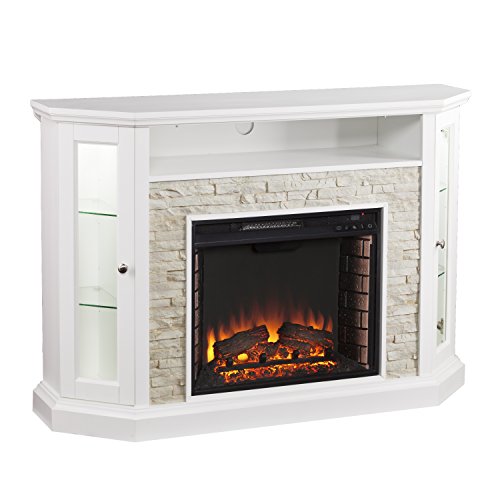
12 Best Corner Electric Fireplace 2026: My Ultimate Guide To Pick One

Best Battery Powered Snow Blower 2026 For Effortless Snow Clearing
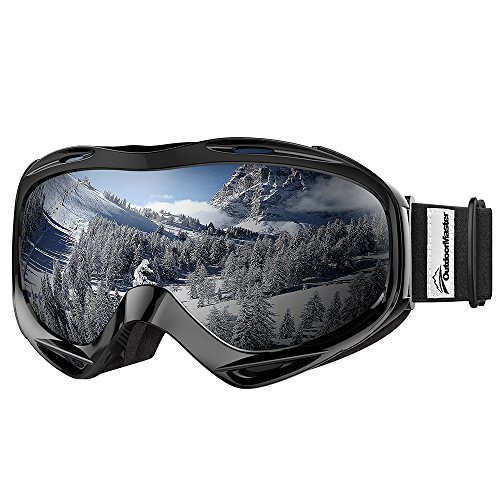
Best Ski Goggles Under 30 Inches For Crisp Vision And Comfort

Best Cooling Scarf 2026 For Instant Relief And Comfort

Fake Snow for Grass: Create a Realistic Winter Lawn Display
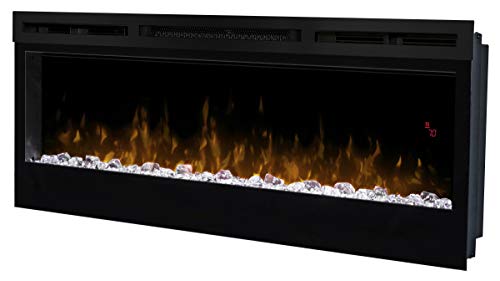
Dimplex Prism Wall Mount Fireplace: Sleek Heat With Modern Flame Style