What Are the Benefits of Electric Heater Types for a Workspace?

Different electric heaters solve specific work problems by delivering fast spot warmth, silent steady heat, or direct energy that cuts through chilly drafts. The right design changes completely based on where a desk sits and what else is plugged into the wall. Compact ceramic fans blow quick heat around chilly feet, oil-filled radiators warm an entire room without making a sound, and infrared units warm your body directly across a cold garage floor.
Choosing between these models comes down to three practical factors: how drafty the room is, how quiet video calls need to be, and how many computer monitors share the same wall circuit. A loud fan can disrupt an important phone meeting, while an oversized heater can trip a circuit breaker and shut down computer gear. Matching the heater style to your specific daily tasks keeps you warm without work disruptions.
Ceramic Fan Heaters for Fast, Directional Desk Warmth
A ceramic fan heater is built around a ceramic heating element that warms up in seconds. Inside the housing, small ceramic discs or honeycomb plates absorb electrical current and generate heat almost immediately. A built-in fan then pulls cool air across those glowing elements and pushes a focused stream of warmth directly toward you. For anyone who starts their workday in a freezing room and cannot wait half an hour to type without stiff fingers, this fast delivery is a massive advantage.
These compact heaters excel at zone heating right at your workstation. Instead of cranking up a whole-house thermostat to warm empty hallways and unused bedrooms, you direct the heat right at your feet and legs. Most modern units give you multiple power levels, such as a high setting running at 1,500 watts, a low setting running at 1,000 or 750 watts, and an energy-saving eco mode. Lower settings let you take the chill out of the air under your desk while consuming far less electricity.
The main trade-off with a ceramic fan unit is sound. The spinning fan blades create a consistent whirring noise while running. Some remote workers find this gentle hum soothing because it acts like a white-noise machine that masks outdoor traffic. But if your microphone sits close to your desk surface, that blower can register as background hiss on audio calls. Oscillating ceramic towers help smooth out the airflow by sweeping heat across a wider area, preventing hot spots on your shins while keeping the air circulating comfortably.
Infrared Radiant Heaters for Drafty Workshops and Garages
Working in a garage, a basement, or a workshop brings a completely different heating challenge. These spaces often suffer from uninsulated exterior walls, open garage door seams, high ceilings, and cold concrete slabs. If you use a conventional fan heater in a drafty garage, the machine spends all its energy heating cold air. That warm air immediately rises to the ceiling or slips out through drafty door seals, leaving your feet and hands just as cold as when you started.
This is where infrared radiant heat shines. An infrared heater produces gentle heat that warms people and furniture directly like sunlight, without needing to heat the surrounding air first. The heater casts invisible electromagnetic waves forward in a direct beam. When those waves strike your body, your workbench, or your hand tools, those surfaces absorb the warmth instantly. You stay comfortably warm even while cool drafts continue to swirl through the rest of the room.
Infrared models are ideal for stationary shop tasks like operating a miter saw, soldering electronics, or assembling woodworking projects. You can place the heater several feet away and feel immediate relief on your skin. For uninsulated hobby rooms and workshops, learning how to manage heating drafty spaces with radiant waves saves significant energy. In larger outbuildings, you can pair radiant warming with dedicated workshop units designed for steady warmth in a garage workshop to maintain a livable baseline temperature across your entire work area.
Oil-Filled Radiator Heaters for Quiet, Meeting-Heavy Offices
If your workday revolves around video presentations, client calls, and constant phone conversations, background noise is your biggest enemy. Oil-filled radiators solve this problem completely. A silent radiator heater that circulates steady, lasting warmth uses sealed diathermic oil inside heavy metal fins. An internal electric element heats the fluid, which then travels through the channels of the radiator, warming the metal exterior. The heat then rises naturally into the room through convection, creating a steady circulation of warm air without using any fan motor at all.
Because there are no moving parts aside from a quiet internal thermostat click, an oil-filled radiator is virtually silent. Your computer microphone will not pick up any background hum or rushing air. This allows you to speak naturally during conference calls without repeatedly tapping your mute button. In addition to quiet operation, these units produce a soft, even warmth that does not dry out your sinuses or blow dust, pet dander, and paper scraps across your desk.
The primary compromise with an oil radiator is startup time. It can take fifteen to twenty minutes for the dense fluid inside to reach operating temperature. Once warm, however, the oil acts as a thermal battery. It continues to radiate comfortable heat into your office for a long time even after the heating element cycles off. Turning the radiator on low about twenty minutes before your morning shift begins ensures a cozy, silent workspace that stays comfortable all day long.
Steps to Power a Workspace Heater Without Tripping Circuit Breakers
Electric space heaters draw a heavy amount of power, and office circuits are often crowded with desktop computers, multi-monitor setups, external hard drives, and desk lamps. Plugging a high-wattage heater into an already loaded circuit can trip the breaker, suddenly cutting power to your workstation and causing lost files. Follow these steps to balance your heat and your hardware safely.
- Check the amp rating on your room circuit breaker. Look inside your main electrical panel to see whether your office is powered by a 15-amp or 20-amp breaker. (A standard 15-amp circuit breaker handles up to 1,800 watts total, but building codes recommend keeping continuous loads under 1,440 watts to prevent overheating the wires behind your walls.)
- Calculate the power draw of your computer hardware. Total the wattage used by your PC tower, monitors, audio interfaces, and room lighting. (A powerful desktop computer paired with two screens and peripheral gear can draw anywhere from 250 to 500 watts, leaving only a modest window of electrical capacity for a heater on that same line.)
- Plug the space heater directly into a permanent wall receptacle. Insert the heater plug firmly into the wall outlet rather than using an extension cord or a power strip. (Multi-outlet power strips and standard light-duty extension cords are not rated for prolonged, high-amperage heat draw and can quickly overheat, melt their plastic casings, or trigger electrical fires.)
- Run the heater on its low or medium power setting. Switch the unit from its maximum 1,500-watt level down to a 750-watt or 1,000-watt setting while your computer equipment is running. (Dropping the heater down to 750 or 1,000 watts frees up hundreds of watts on the circuit, allowing your electronics and heating element to share the line without blowing the breaker.)
- Feel the wall outlet plate after thirty minutes of continuous heating. Place your hand against the plastic faceplate of the wall outlet while the heater is active. (A warm or hot outlet faceplate indicates worn internal contacts or overloaded branch wiring, meaning you should turn off the unit immediately and hire a licensed electrician to inspect the receptacle.)
Desk Clearance Rules and Mandatory Safety Protections
Placing an electric heater in a small home office or beneath a kneehole desk introduces specific fire hazards that require careful management. Workspaces are full of flammable clutter, including wastebaskets filled with scrap paper, hanging printer cables, fabric chair skirts, and cardboard shipping boxes. To keep your work area secure, you must observe strict physical boundaries and insist on specific safety features built directly into the heater design.
Always maintain the three-foot safety buffer. Keep all space heaters at least three feet (36 inches) away from draperies, paperwork, desk legs, and upholstery. Never tuck a heater tightly into an enclosed footwell under a wooden desk unless the unit is specifically rated as a low-wattage personal foot warmer. High-heat fan blowers can quickly scorch finished wood, melt synthetic plastic cables, or ignite paper dropped from your desktop.
When shopping for a workspace heater, make sure it includes two non-negotiable internal features:
- A tip-over safety switch: A mechanical sensor or internal switch that cuts power instantly if the unit is knocked over or tilted. In an office setting, it is easy to bump a heater with an office chair castor, kick it with your feet, or have a pet brush past it. An automatic tip-over cutoff prevents a fallen unit from burning your carpet or floorboards.
- An automatic overheat sensor: An internal thermal cutoff that shuts the unit off if internal parts get dangerously hot. If papers fall over the intake grille or dust blocks the air filter, this sensor terminates electrical flow before the internal plastic or metal can melt.
- Recognized certification marks: Check the label on the bottom or back of the heater for independent safety marks such as UL, ETL, or CSA. These marks show that the heater design meets established national safety standards for electrical home appliances.
Always operate portable heaters on hard, flat, level floors. Placing a heater on deep shag carpet or uneven rug piles can block bottom air intakes and prematurely trigger the overheat sensor, or cause the unit to tilt and shut down unexpectedly.
Choosing the Right Electric Workspace Heater for Your Setup
Selecting the best heater type comes down to matching your daily work habits with your physical environment. If your work requires total silence for client calls, podcast recording, or deep focus, an oil-filled radiator is the clear winner. While it takes longer to heat up in the morning, its silent operation and steady radiant warmth will keep you comfortable all day without interfering with your computer microphone.
For small, closed home offices where you need fast warmth at your feet or want to warm a chilly desk zone in seconds, a compact ceramic fan heater is practical and affordable. Look for a model that provides multiple heat settings, such as low, medium, and high, so you can dial back the power draw while running heavy office electronics on the same circuit. Features like an adjustable digital thermostat and a wide-angle oscillating base help distribute warmth evenly across the room.
If your workspace is an open garage, an unsealed basement, or a workshop with frequent drafts, choose an infrared radiant heater. Rather than wasting electricity trying to heat air that escapes through drafts and open doors, an infrared unit keeps your body warm directly while you work at your bench. Before making a final choice, confirm your room dimensions, verify your circuit breaker capacity, and ensure any unit you bring into your workspace carries recognized third-party safety certifications.

DR. INFRARED HEATER DR-PS11024 Salamander Construction 10000-Watt, Single Phase, 240-Volt
View on Amazon- BWP Score9.5
BWP Score is a ranking system developed by Bestwinterproducts.com. BWP score has no relationship or impact from any manufacturers or sales agent websites. Learn more
- BrandDR. INFRARED HEATER

- BWP Score9.2
BWP Score is a ranking system developed by Bestwinterproducts.com. BWP score has no relationship or impact from any manufacturers or sales agent websites. Learn more
- BrandFLANUR

- BWP Score9.1
BWP Score is a ranking system developed by Bestwinterproducts.com. BWP score has no relationship or impact from any manufacturers or sales agent websites. Learn more
- BrandDura Heat

- BWP Score8.7
BWP Score is a ranking system developed by Bestwinterproducts.com. BWP score has no relationship or impact from any manufacturers or sales agent websites. Learn more
- BrandComDomus

- BWP Score8.4
BWP Score is a ranking system developed by Bestwinterproducts.com. BWP score has no relationship or impact from any manufacturers or sales agent websites. Learn more
- BrandDura Heat

- BWP Score8.3
BWP Score is a ranking system developed by Bestwinterproducts.com. BWP score has no relationship or impact from any manufacturers or sales agent websites. Learn more
- BrandDura Heat

- BWP Score8.1
BWP Score is a ranking system developed by Bestwinterproducts.com. BWP score has no relationship or impact from any manufacturers or sales agent websites. Learn more
- BrandDura Heat
Last update on 2026-10-10 / Affiliate links / Images, Product Titles, and Product Highlights from Amazon Product Advertising API
Frequently Asked Questions
Which heater type runs quietly enough for conference calls?
An oil-filled radiator heater is the best option for conference calls because it operates in complete silence. It circulates heat naturally through fluid convection without using a mechanical fan motor. Your computer microphone will not pick up background hums, whistling air, or vibration, allowing you to speak clearly without relying on push-to-talk buttons.
Will a desk heater trip my circuit breaker while my computer runs?
A standard 1,500-watt desk heater can easily trip a 15-amp circuit breaker if your computer, monitors, and lights are plugged into the same line. A 15-amp circuit can safely handle around 1,440 continuous watts, so running a 1,500-watt heater alongside a 300-watt desktop computer creates an overload. To avoid tripped breakers, run your space heater on a low or medium setting (such as 750 or 1,000 watts) to keep the total electrical draw within safe limits.
Why choose infrared over fan-forced heat in a garage?
Infrared heaters warm people and solid objects directly like sunlight, rather than heating the surrounding air. In a garage with drafty doors, concrete floors, and uninsulated walls, warm air from a fan heater rises to the ceiling or escapes outside immediately. Infrared radiant energy cuts straight through cold drafts to warm your body and tools directly at your workbench, using significantly less electricity.
How much clearance is required around desk legs and paperwork?
Maintain a safety buffer of at least three feet (36 inches) on all sides of your space heater. Keep all papers, desk trash cans, computer cords, and furniture fabrics well outside this three-foot perimeter. Never tuck a high-wattage fan heater tightly beneath a desk where heat can build up against wooden panels or melt nearby electronic cables.
Which heater type keeps running costs lowest over an eight-hour shift?
An oil-filled radiator or a ceramic heater equipped with an accurate digital temperature dial usually costs the least to run over a full workday. Oil-filled radiators hold thermal energy in their fluid, allowing the heating element to cycle off while the unit continues radiating warmth into your room. Similarly, using the 750-watt or eco setting on a ceramic heater cuts electrical consumption by roughly half compared to running continuously on full power.


Best Warm Winter Scarves 2026 For Cozy Comfort

Best Green Ski Goggles 2026 For Clear Vision On Slopes
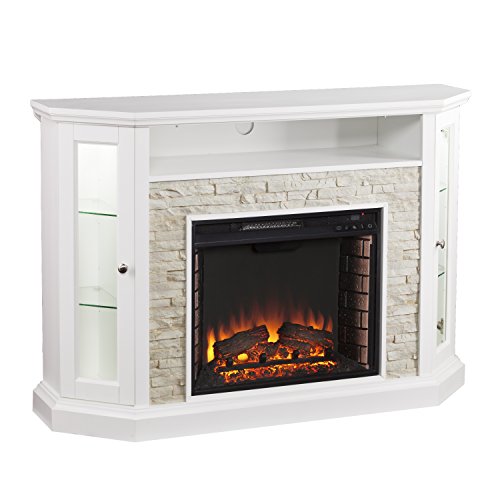
12 Best Corner Electric Fireplace 2026: My Ultimate Guide To Pick One

Best Battery Powered Snow Blower 2026 For Effortless Snow Clearing
Best Ski Goggles Under 30 Inches For Crisp Vision And Comfort

Best Cooling Scarf 2026 For Instant Relief And Comfort

Fake Snow for Grass: Create a Realistic Winter Lawn Display
Dimplex Prism Wall Mount Fireplace: Sleek Heat With Modern Flame Style